All warehouse operations (receiving inbound receipts + shelf assignment, preparing outbound receipts, finding goods navigation, scanning, inventory counting) can be done directly on mobile phones using the warehouse keeper app — see separate page: Chapter 06b · Warehouse Keeper App. This chapter focuses on business operations and management screens on the portal.
1. Goods Arriving at Post Office — Two Processing Flows
When the trip returns to the station and packages are scanned and unloaded, the destination warehouse staff decides for each package directly on the trip processing screen:
| Flow | When | Process | SLA Monitoring |
|---|---|---|---|
| Counter pickup | Recipient waiting / coming same day | Package goes to temporary pickup area; hand over goods, collect COD if recipient pays | Processing deadline out of temporary area |
| Inbound to waiting warehouse | Waiting for customer to come later / waiting for home delivery trip | System generates automatic inbound receipt (pre-confirmed) linking trip – package – source order; goods go to storage area | Shelving deadline + inbound receipt SLA |
Auto-initialized warehouse: Post offices without configured warehouses will have the system automatically create a default warehouse with two standard zones (temporary pickup area, goods waiting for storage area) the first time goods arrive. Data principle: warehouse receipts always belong to the correct receiving post office — never recorded to another post office's warehouse under any circumstances.
2. Inbound Receipt
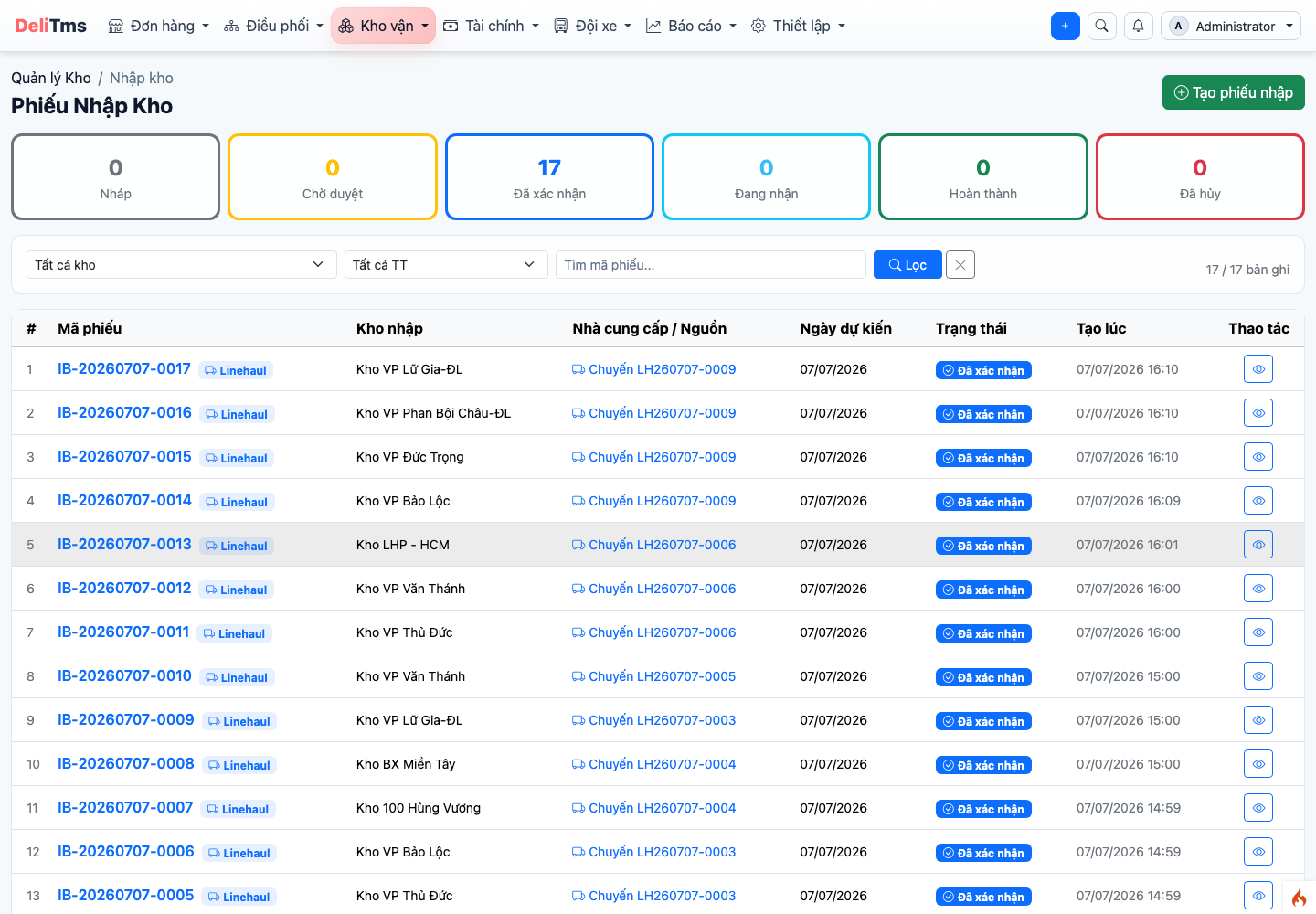
Inbound receipt list — receipts from incoming trips are system-generated and auto-confirmed, with source origin.
Go to Warehouse Management → Inbound (/inventory/inbound). Two receipt sources:
- Automatic from trip: generated when destination warehouse processing selects "inbound to waiting warehouse" — receipt is pre-confirmed, each line links package/order/source trip and SLA deadline;
- Manual creation: inbound goods outside transport flow (supplies, opening inventory...).
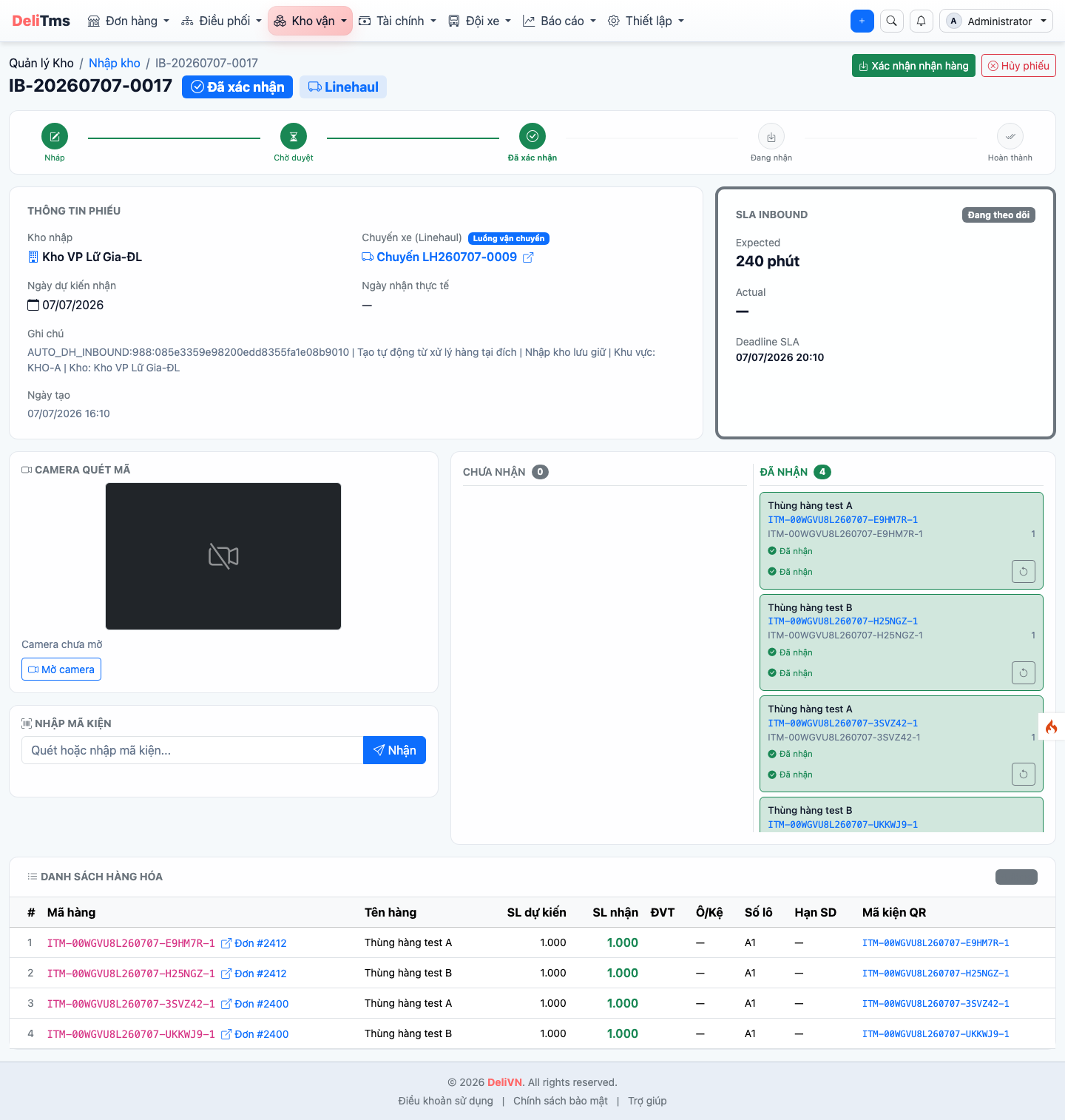
Inbound receipt detail — scan-first operation: scan package code, corresponding line moves from "Not received" to "Received".
Receipt details are organized by scan-first principle: scan box is always ready — scan package code (scanner gun, camera, or enter code + Enter) and the corresponding line moves to "Received". When all lines are received, receipt is completed; problematic packages (damaged, wet...) are recorded on the line — automatically transferred to Incident Center (chapter 09).
3. Outbound Receipt
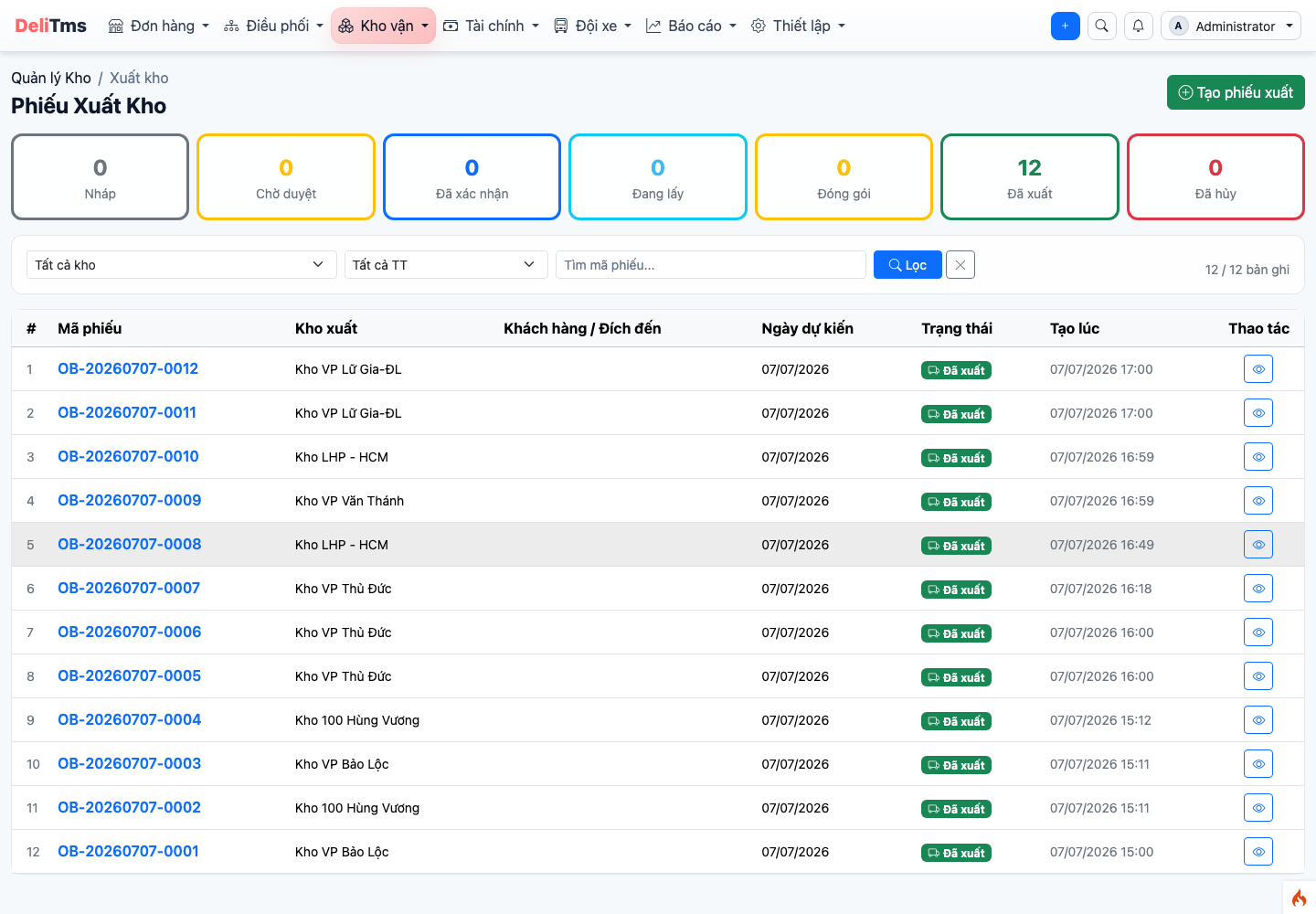
Outbound receipt list — counter pickup outbound and delivery trip outbound.
Warehouse Management → Outbound: two main operations — counter pickup outbound (recipient comes to pick up goods in storage) and delivery trip outbound (goods leave warehouse on home delivery trip). Same scan-first principle operations; system verifies scanned package belongs to receipt and correct post office warehouse.
4. Warehouse Transfer and Warehouse Return
- Warehouse transfer: circulation between two warehouses in the network — receipt clearly shows origin/destination warehouse, confirmation at both ends;
- Warehouse return: failed delivery goods return and are inbounded back to warehouse awaiting further processing (re-delivery or return to sender — chapter 04, section 5).
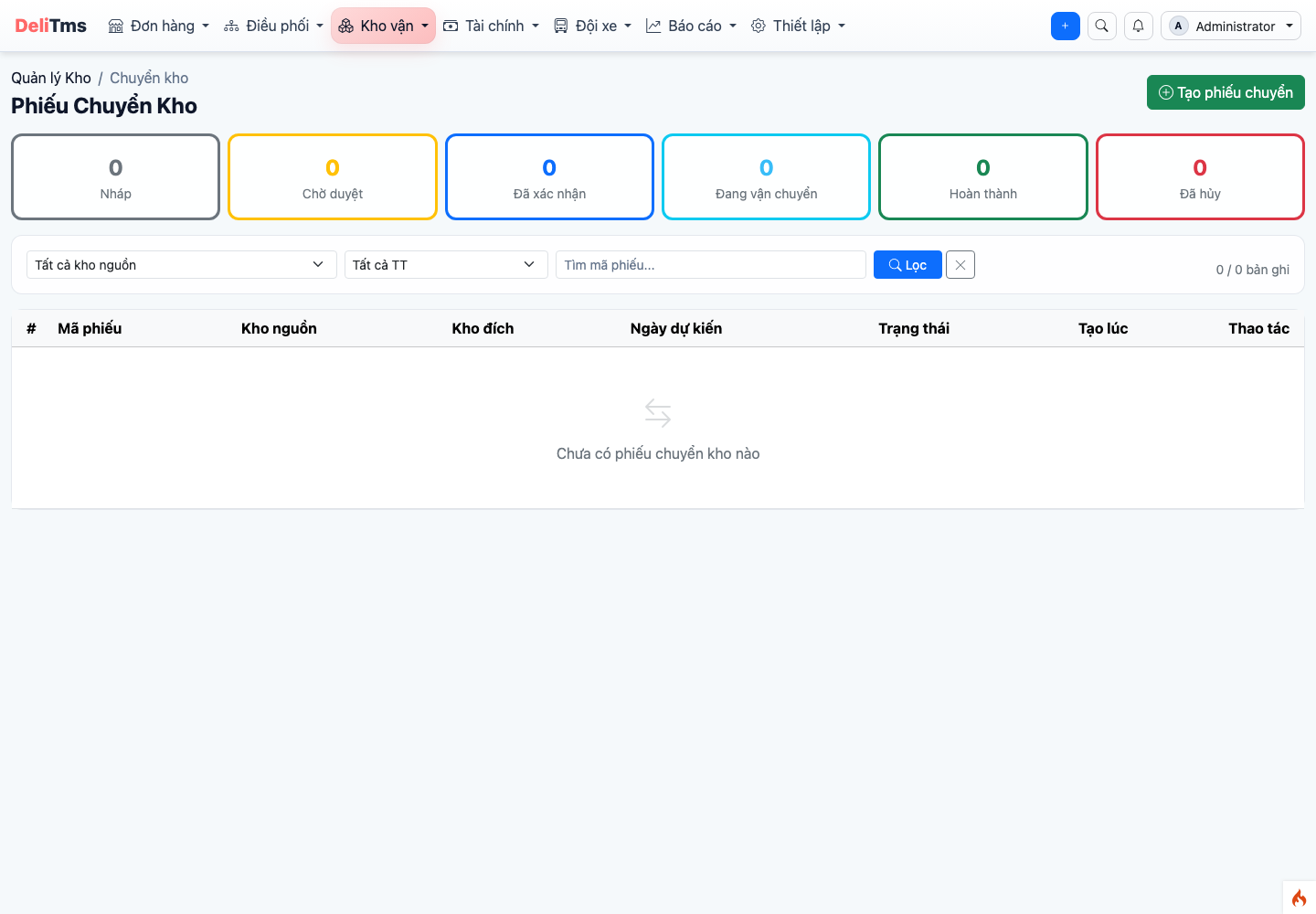
Warehouse transfer — circulation receipt between two warehouses, confirmation at both ends.
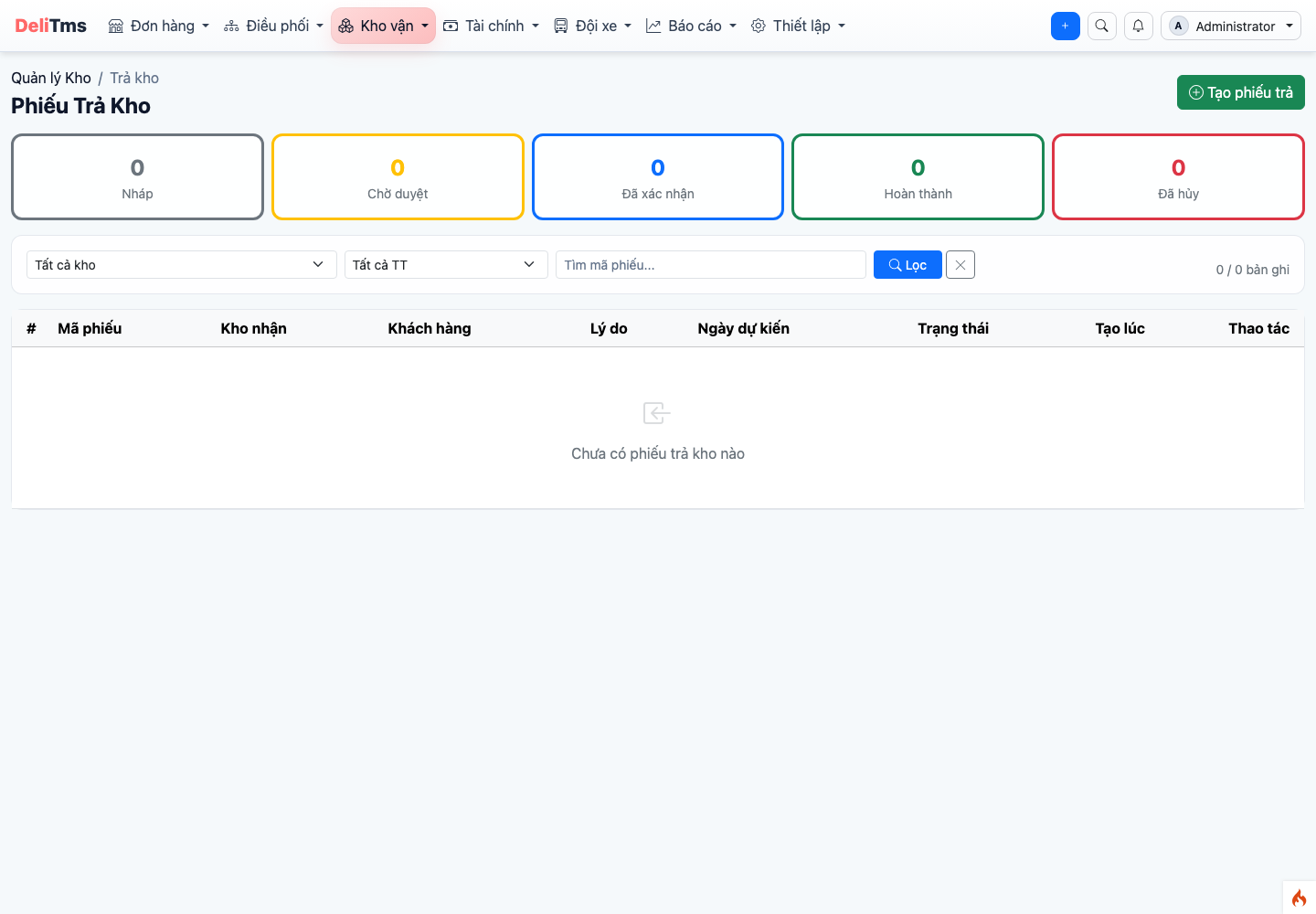
Warehouse return — failed delivery goods return to warehouse awaiting further processing.
5. Stock and Data Scope
Stock查询 by warehouse/zone/package, searchable by package code. Scope by working post office: staff assigned to post office only see receipts and stock of their post office warehouse — filters don't display warehouses outside scope; business owner account sees entire network. This scoping principle ensures efficient post office operations across the entire logistics network.
Stock, Movement and Stocktake
Stock (/inventory/stock): query by warehouse / zone / package code — answers "where is the package" right at the counter. Page has two view modes switched by button in top right: List (detailed table of each stock line) and Diagram (warehouse layout by zone → shelf → bin like stock diagram page). In Diagram mode, filter becomes location finder: enter code or item name → bins containing matching items light up and auto-scroll to, other bins dim — see in one second which shelf and bin package is in; click lit bin to view details and create quick outbound receipt. Stock movement (/inventory/stock/movement): log of every inbound – outbound – transfer of each package, for tracing and warehouse reconciliation.
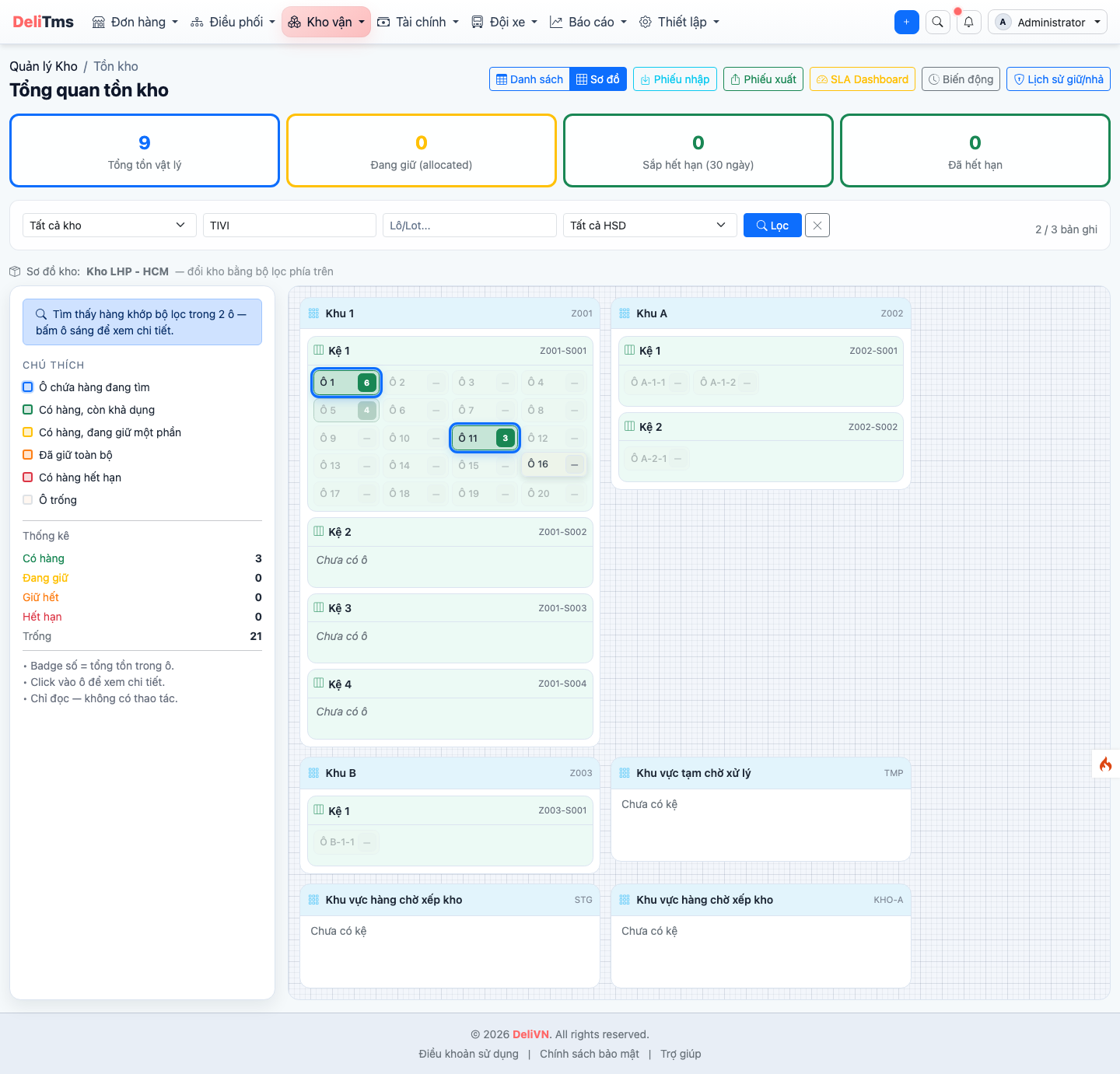
Stock — query by warehouse, zone and package code.
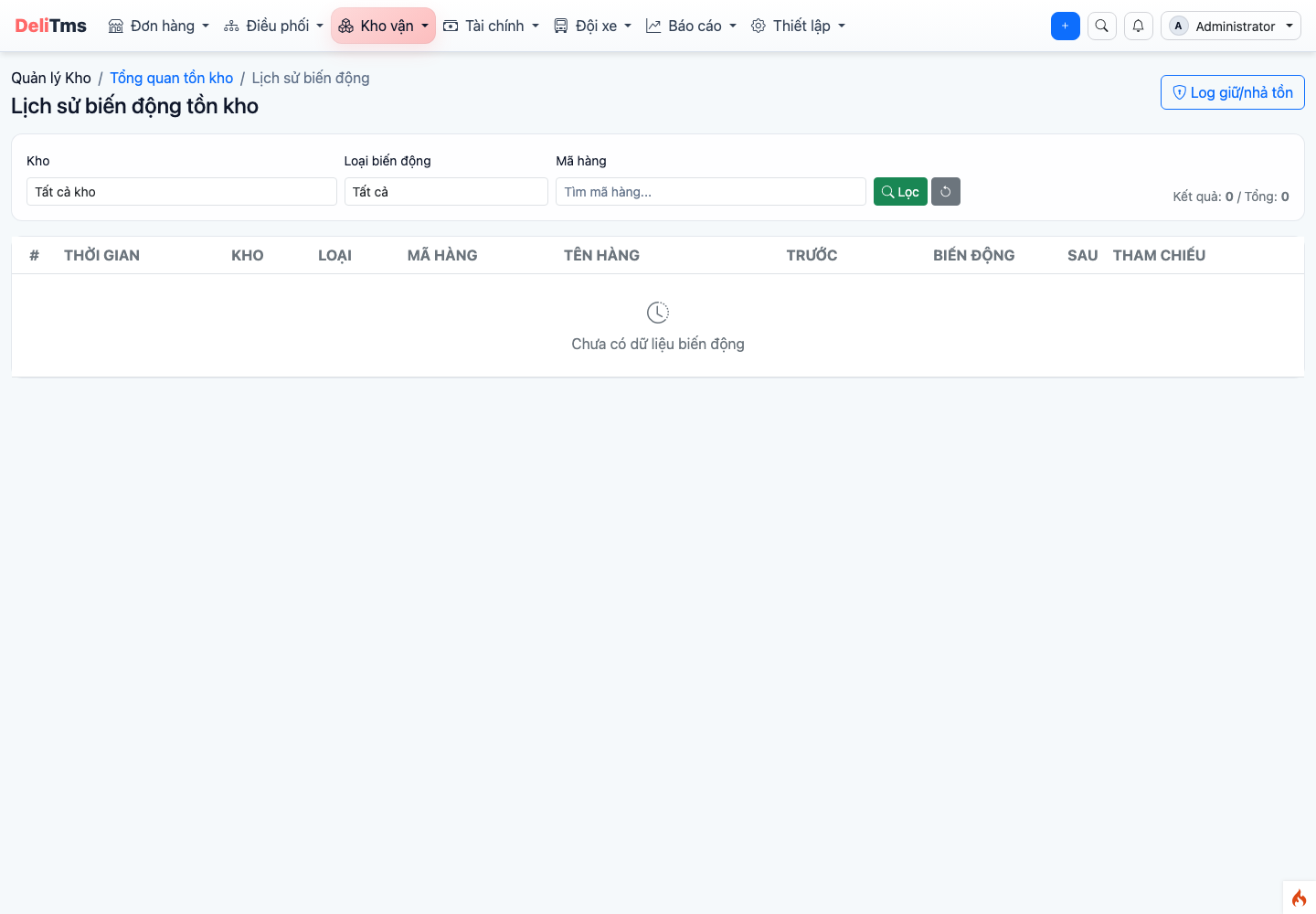
Stock movement — log of inbound/outbound/transfer of each package.
Stocktake (/inventory/stocktake): create stocktake session by warehouse/zone, scan to verify actual vs books, record discrepancies and process (adjust stock with reason).
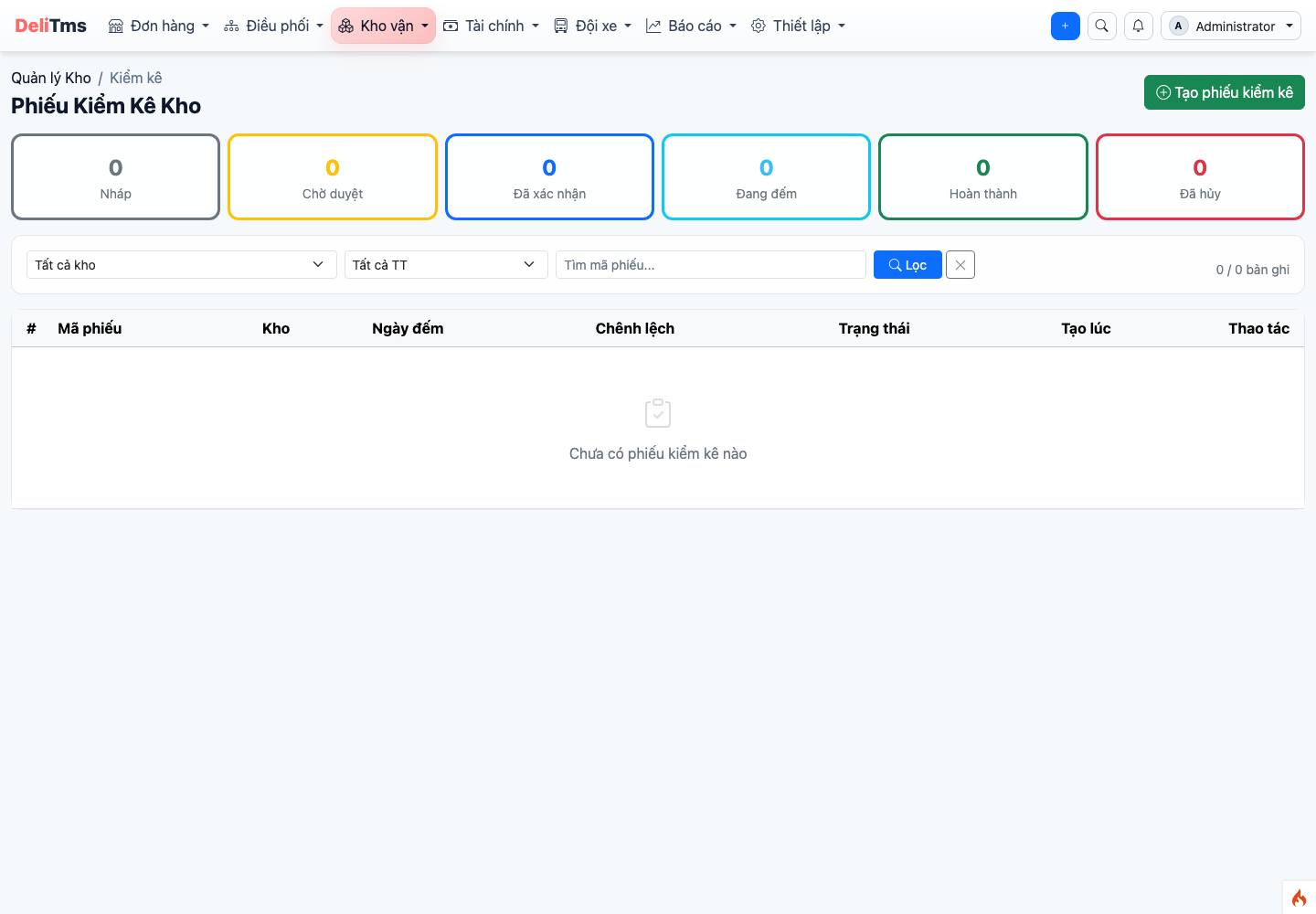
Stocktake — session to verify actual vs books, record discrepancies.
Warehouse and Zone Declaration
Warehouse (/inventory/warehouse) and Warehouse Type (/inventory/warehouse-type): declare warehouse for each post office, arrange zone – shelf – bin in "Warehouse Layout" screen of each warehouse. Post offices without declared warehouse can still operate thanks to auto-initialization mechanism (section 1).
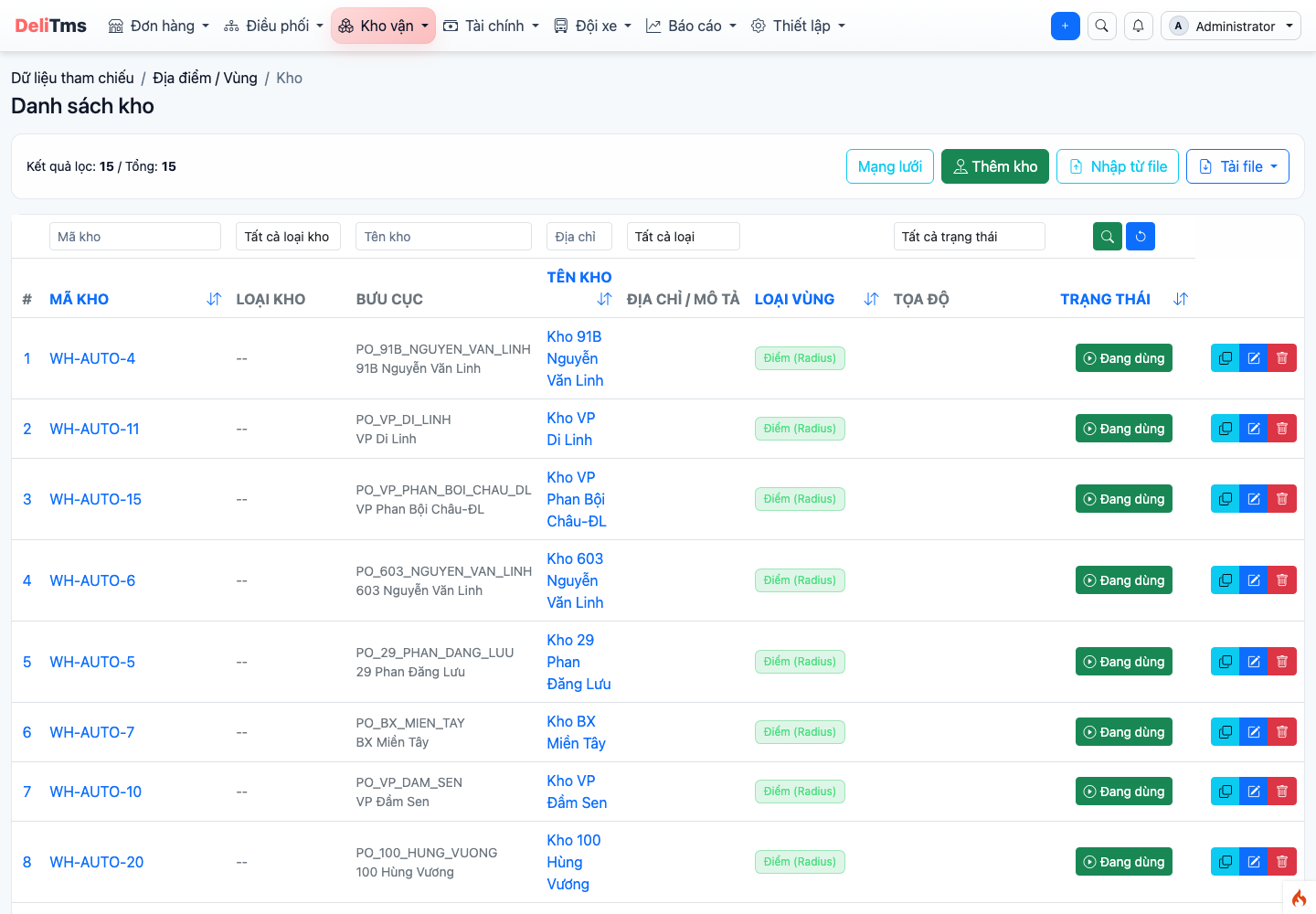
Warehouse list — each post office has one or more warehouses, configure zones in warehouse layout screen.
6. Warehouse SLA Monitoring
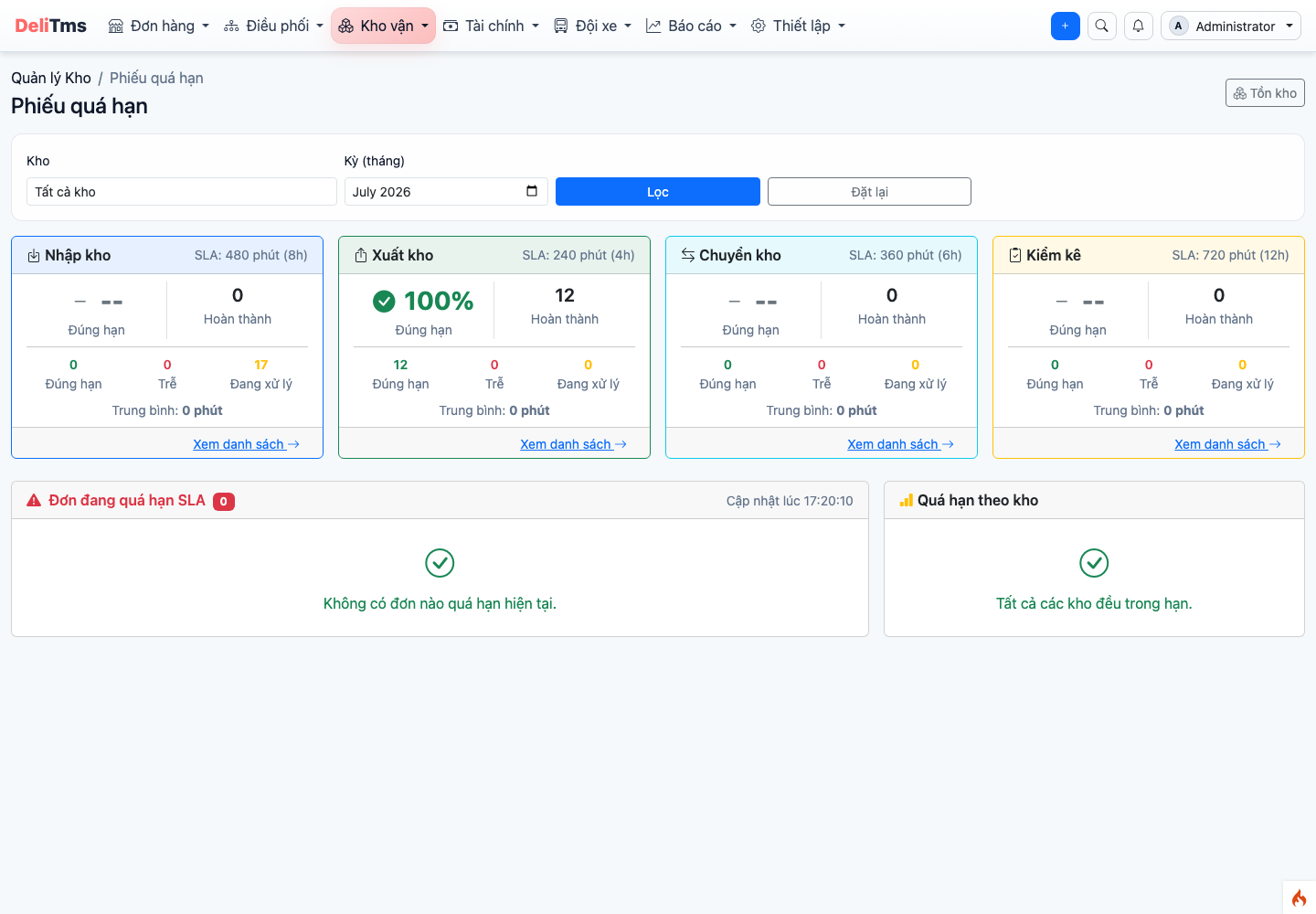
SLA Dashboard — on-time KPI by period, real-time overdue list, analysis by warehouse.
Warehouse Management → SLA Dashboard (/inventory/sla-dashboard): rate of receipts processed on time by period (filter by warehouse), list of currently overdue receipts updated in real-time, analysis of which warehouses are often late. Inbound/outbound SLA threshold (minutes) configured at Company Settings → Warehouse group, default 240 minutes.
Wave Picking, ABC Analysis and Stock Valuation
Wave Picking — Wave (/inventory/wave): group multiple pending outbound receipts into one wave for warehouse staff to make one round picking goods for multiple receipts at once. Lifecycle: Draft → Planned → Picking → Completed; draft waves can be deleted, wave details list each item line to pick by location.
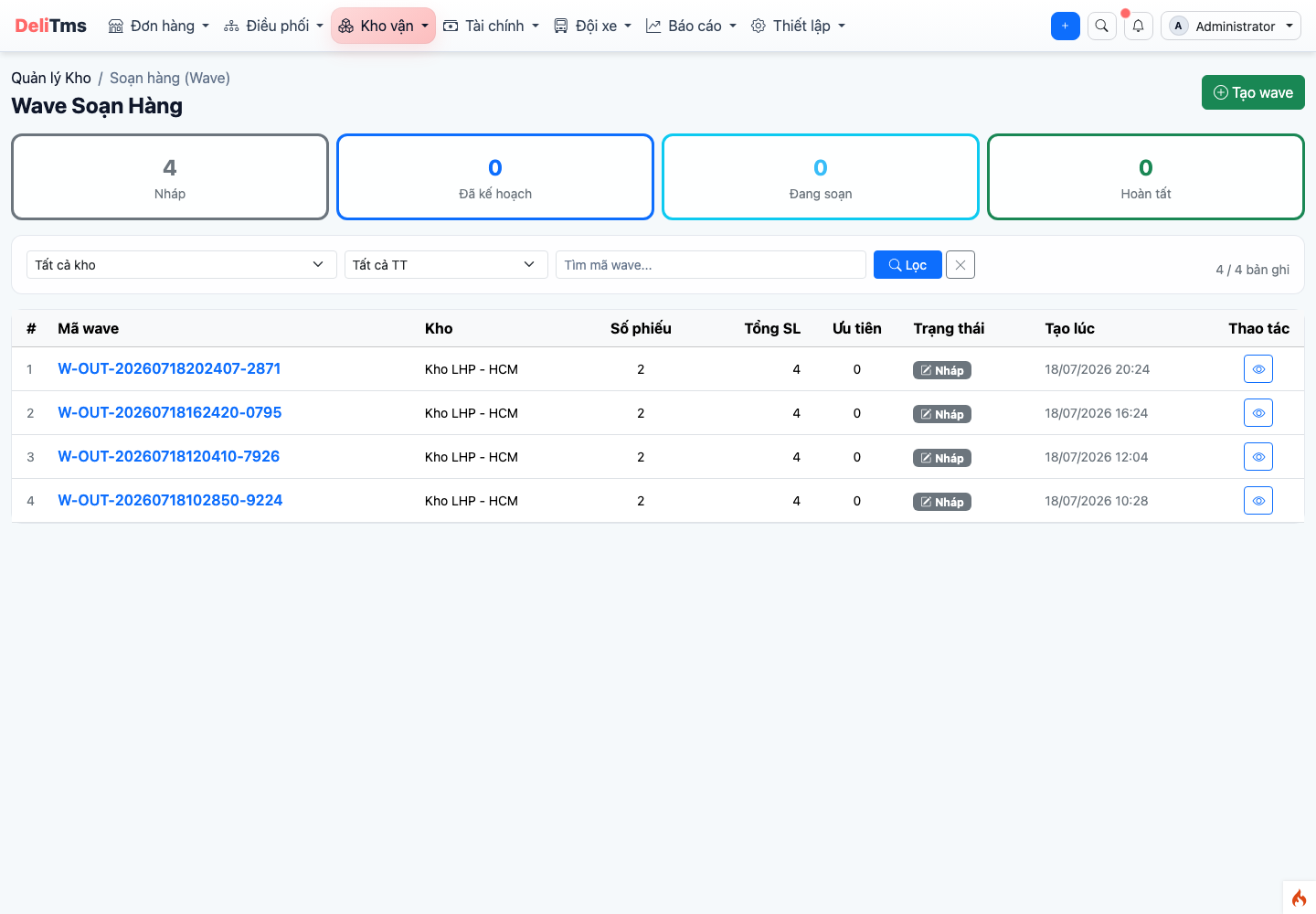
Wave Picking (Wave) — group pending outbound receipts into batch picking.
ABC Analysis (/inventory/abc): rank goods by outbound value — A group (~80% value: tight control, place on nearby shelves), B (~15%), C (~5%: slow-moving goods) — basis for warehouse location arrangement and stocktake frequency.
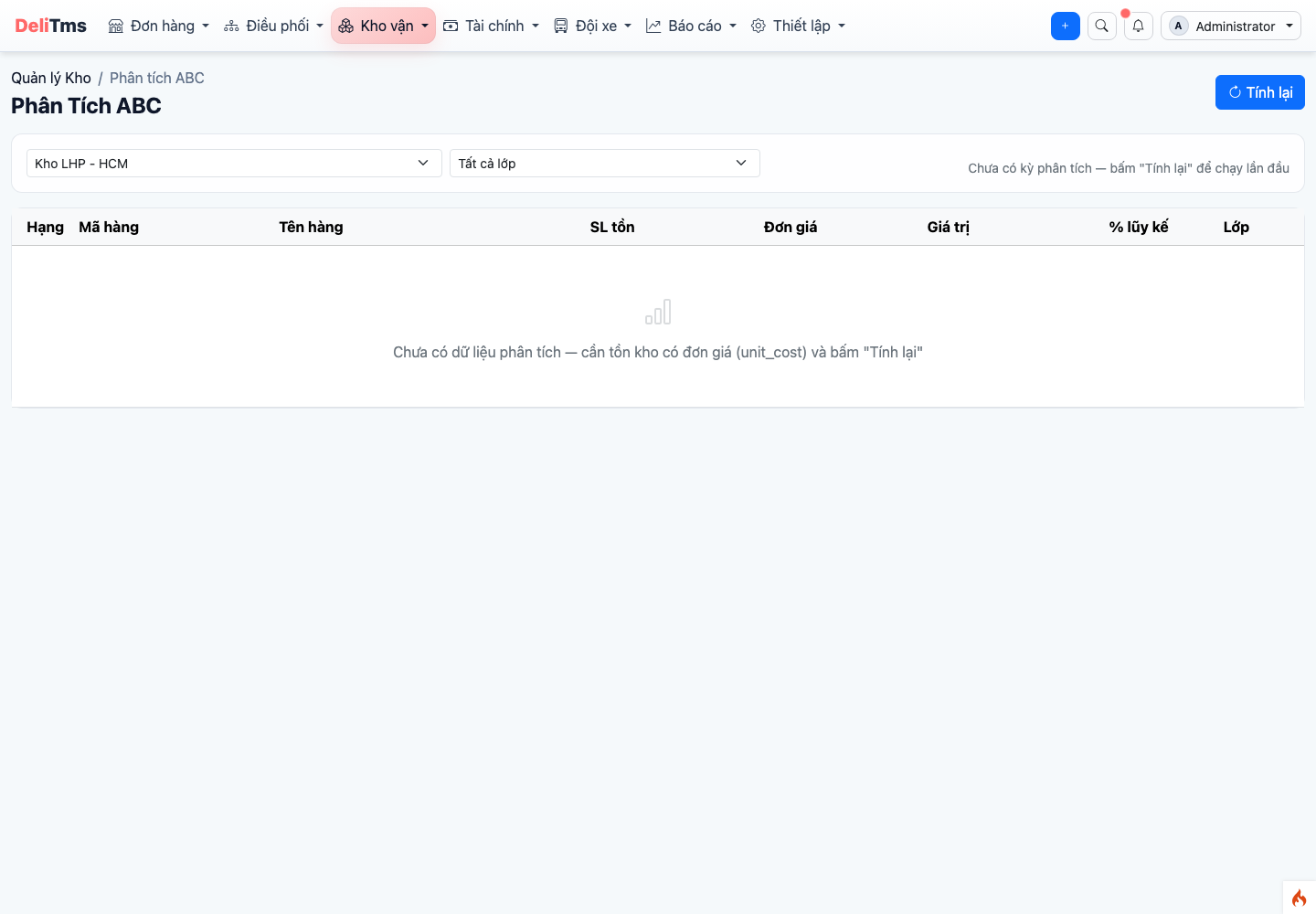
ABC Analysis — rank goods by outbound value, suggest shelf arrangement.
Stock Valuation (/inventory/valuation): current stock value by warehouse, Snapshot today button saves valuation milestone to compare stock value changes between periods.
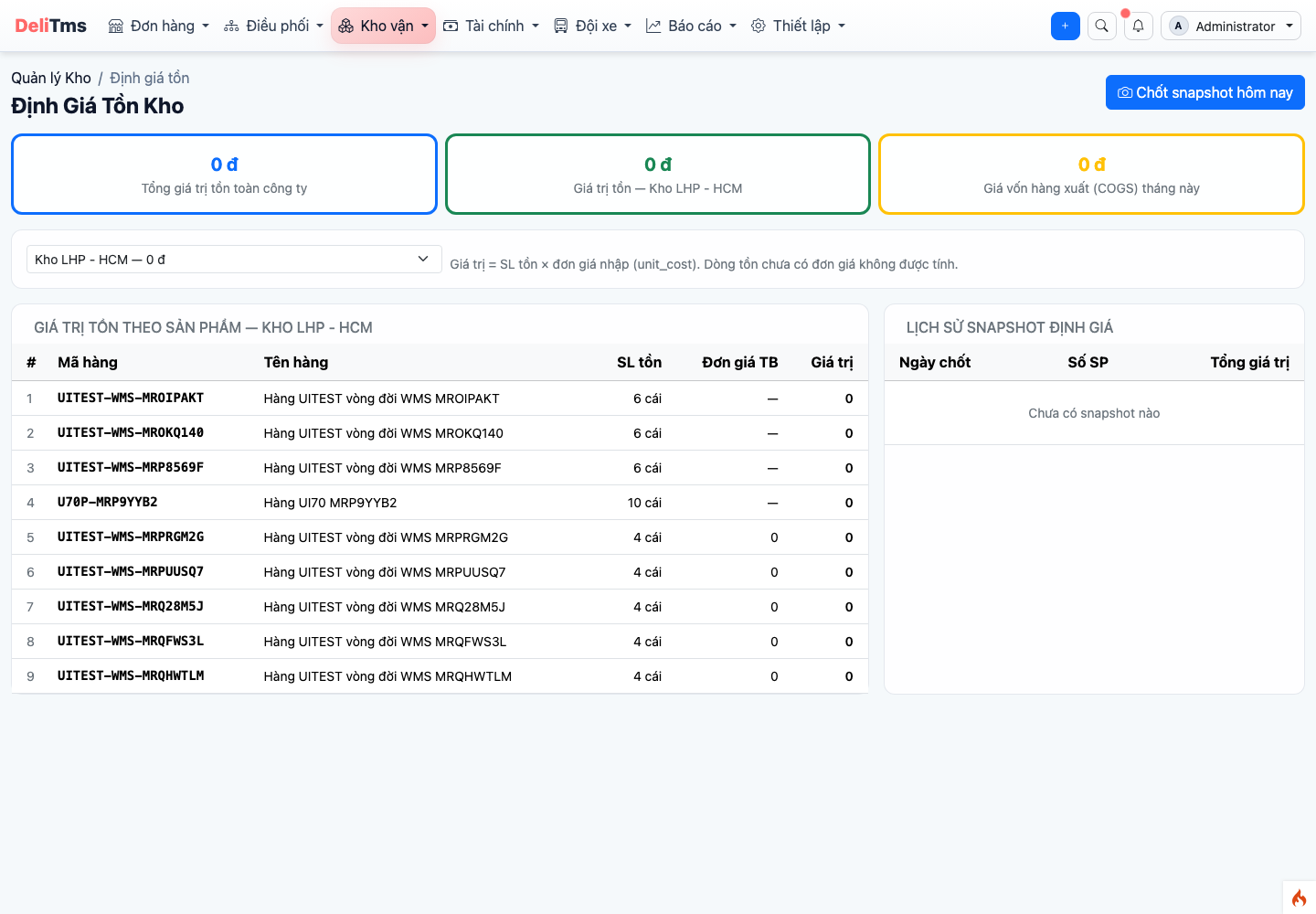
Stock Valuation — stock value by warehouse and snapshot by date.
7. Frequently Asked Questions
Scanned code doesn't match receipt line? — Check if package belongs to different receipt or different warehouse; packages in incident status won't be received into warehouse through normal flow.
Why can't I see another post office's receipts? — Correct data scope design (section 5): goods arriving at a post office are processed by that post office's staff.
New post office without warehouse, goods arriving soon? — No preparation needed: system auto-initializes warehouse and two standard zones when goods arrive; if you want to plan in more detail, create warehouse and zones first at Warehouse Management → Warehouse, configure zones in "Warehouse Layout" screen.