
1. Where Are Incidents Recorded
Incident reports are created on-site, immediately upon discovery — do not wait to return to the office. Proper incident management ensures cargo incidents are documented accurately for liability allocation:
| Stage | Situation | Reporter | Automatically Attached Records |
|---|---|---|---|
| Loading onto trip | Package not found at post office | Counter staff / driver (via app) | Package, order, trip, post office, photos |
| Unloading at station | Package should be on vehicle but missing — report must include all unscanned packages for the leg | Receiving station staff | Package, trip, vehicle compartment photos |
| Destination warehouse processing | Package damaged, broken, wet, seal broken... | Warehouse staff | Warehouse processing record, package, order |
| Other | Customer complaints, periodic findings | Any authorized staff | Created directly in Incident Center, select related packages/orders |
Incident types are selected from a standardized category list grouped by stage (lost during pickup, damaged during transport, missing during unloading, damaged at warehouse...); for cases outside the list, select "Other" with description.
2. Incident Center — One Place to Handle Everything
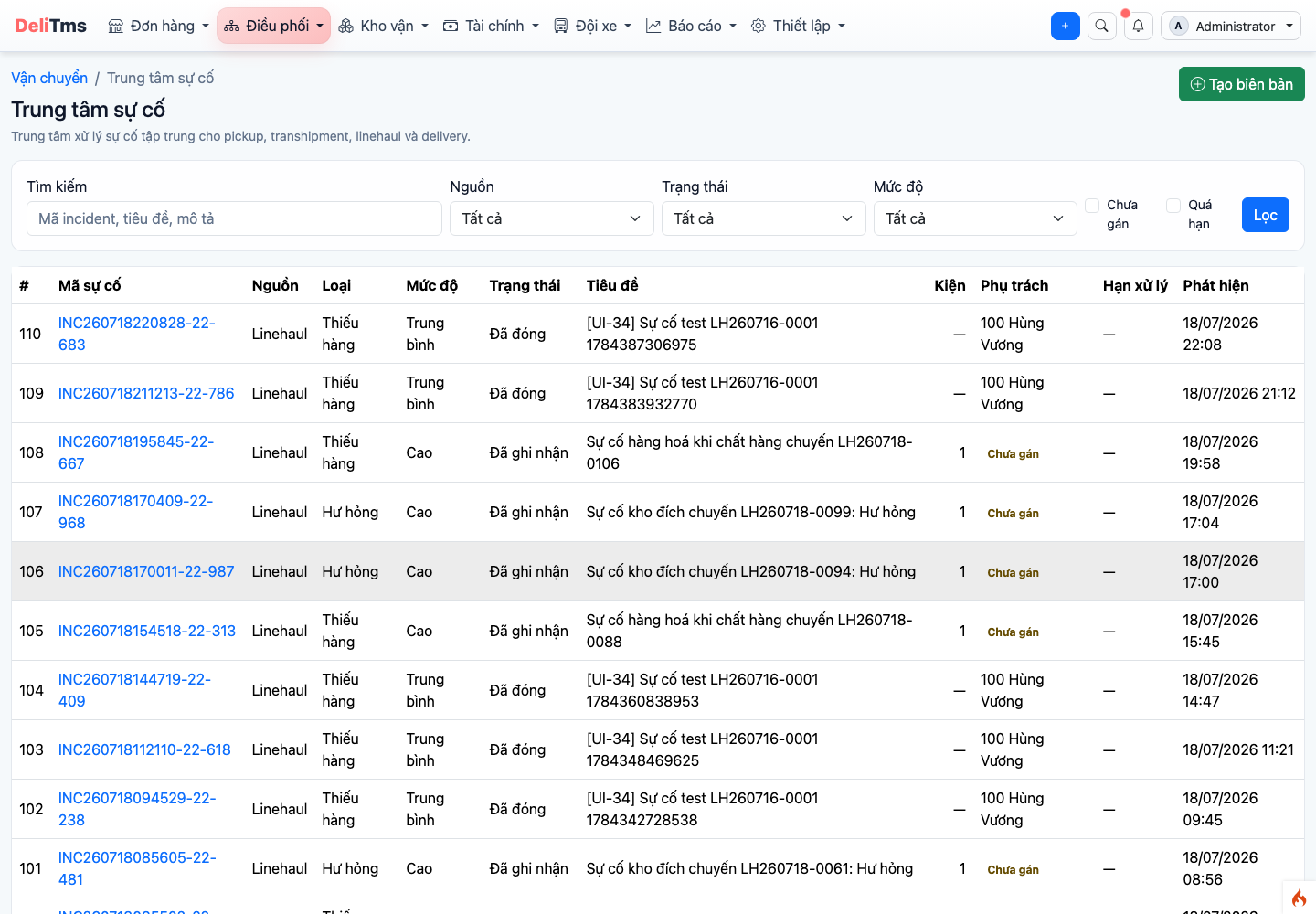
Incident Center — filters by status, severity, unassigned cases, and overdue cases.
Operations → Incident Center (/transport/operation/incident-center). List displays: case ID, type/severity, number of related packages, person in charge, handling deadline (marked red when overdue). Two important operational filters: Unassigned and Overdue — should be reviewed at the start of each shift. The TMS integrates package tracking data to streamline transportation operations.
3. Case Lifecycle — Eight Statuses
| Status | Who Acts | Content |
|---|---|---|
| 1. Received | (automatic upon report creation) | New case, no assignee yet |
| 2. Assigned | Manager / coordinator | Assign handler — "Assign" action automatically changes status |
| 3. Confirmed | Person in charge | Confirm receipt — system records first response time (measures response SLA) |
| 4. Under Investigation | Person in charge | Verification: trace package, cross-check photos, work with parties |
| 5. Awaiting Input | Person in charge | Need management decision / customer response — must record root cause before transferring |
| 6. Resolved | Person in charge | Solution completed: compensation, replacement delivery, recovery, freight adjustment... |
| 7. Closed | Manager | Acceptance and case closure |
| 8. Reopened | Manager | New development after closure → return to investigation |
The system blocks skipping status transitions and automatically notifies relevant parties at each change (assignee, reporter, manager when closing/reopening) — no need for manual messaging.
4. Investigation on Case
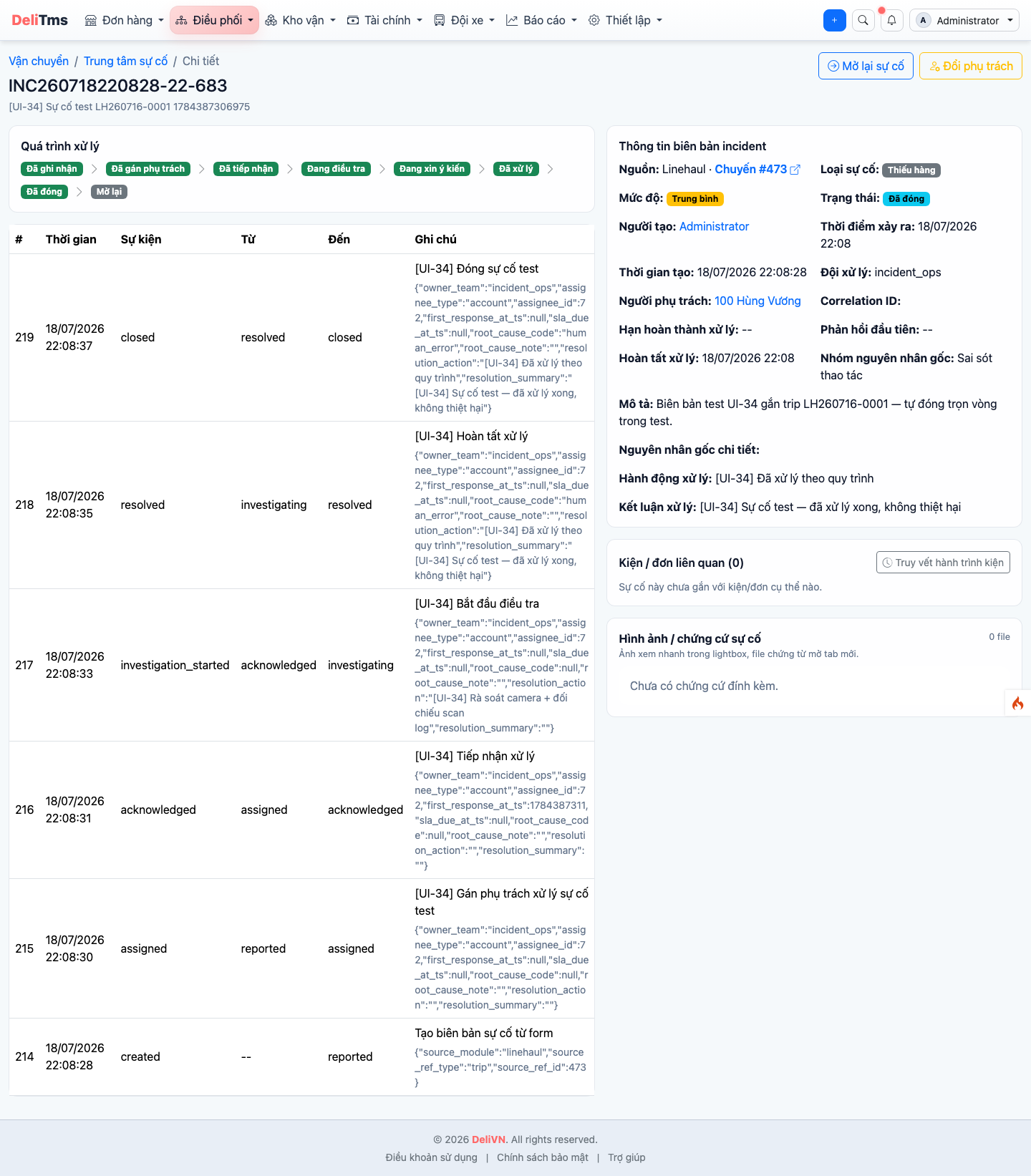
Incident case detail — related packages/orders, source trip links, processing timeline, and package journey trace.
The detail screen consolidates all investigation tools:
- Related packages / orders — directly open order details, view source trip where incident occurred;
- Package journey trace: all scanning checkpoints of the package (who scanned, where, when, which trip) — pinpoint the incident stage within minutes, with camera location suggestions for footage retrieval;
- Timeline: all status changes, notes, assignee changes are logged with the person who acted.
During investigation, the Allocate Liability button opens the final report: investigation conclusion (minimum 50 characters), root cause, loss value / compensation amount, and liable parties (post office, driver, partner... — total percentage must equal 100%). A case can only be "Resolved" when it has a liability report and all related packages have a resolution plan.
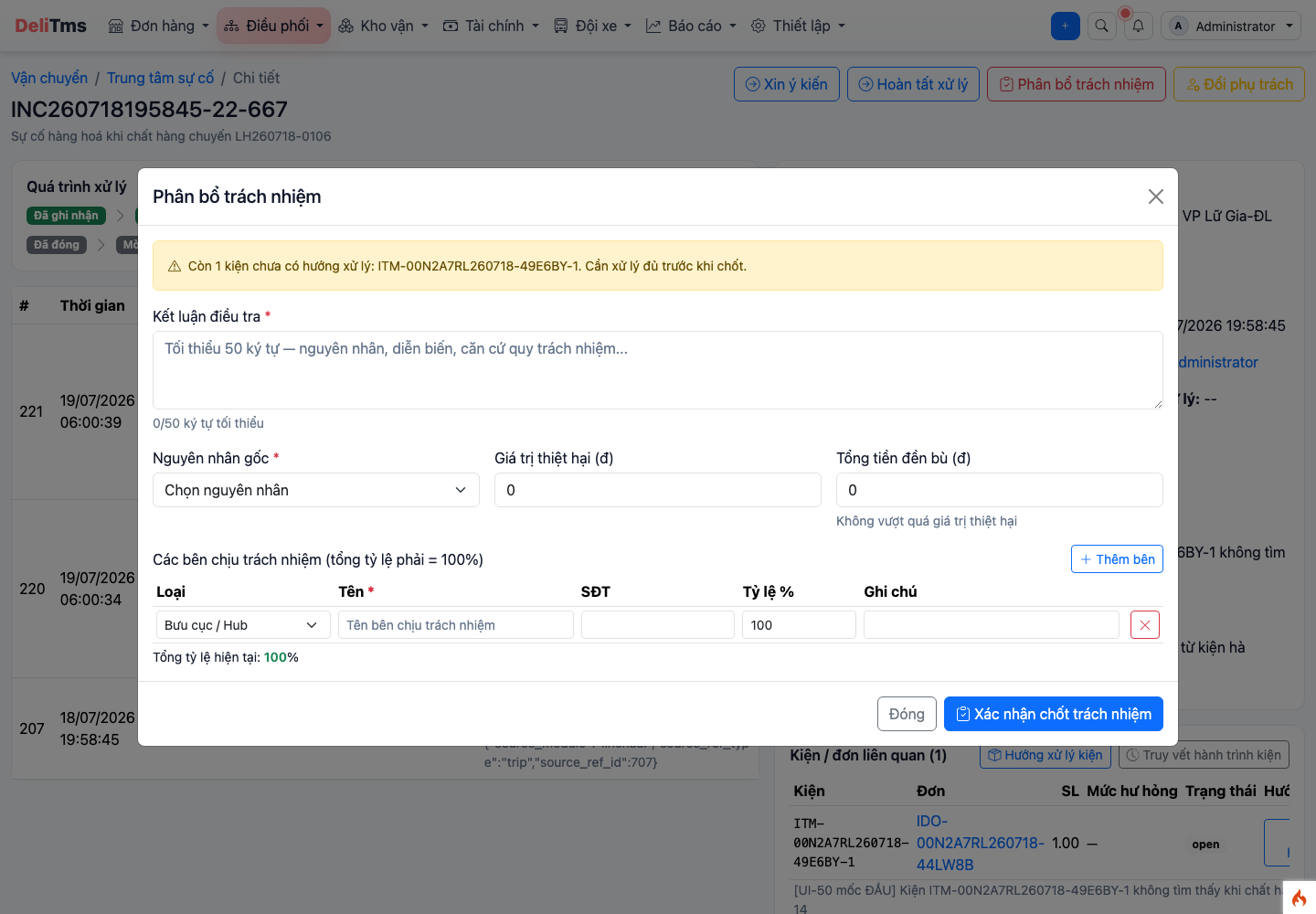
"Allocate Liability" modal — investigation conclusion, loss/compensation, and liable parties by percentage.
5. Frequently Asked Questions
Who can be assigned? — Company employees or drivers; use "Change Assignee" action when transfer is needed — history preserves all assignee iterations.
How is the handling deadline calculated? — Based on case severity level; overdue cases display in red in the list and count in the Overdue filter.
Must unloading shortage reports include packages previously reported lost? — Yes: the leg report reflects the current status "packages not scanned on this leg"; the earlier checkpoint case remains unchanged, both cases reference the same package for cross-verification.