
Where to go: menu Operations → Pricing & Rates → Door-to-Door Delivery (/transport/pricing/delivery) → Add. Read general section first.
1. Five Calculation Methods (same as pickup fees)
| # | Calculation Method | Quick Example |
|---|---|---|
| 1 | Fixed Price | 20,000đ/delivery |
| 2 | Per KM (destination post office → recipient's address) | 5,000đ/km |
| 3 | Per KG | 1,500đ/kg |
| 4 | Per Quantity (items) | 7,000đ/item |
| 5 | Per Volume (m³) | 120,000đ/m³ |
Calculation methods 2–5 have a Pricing Type: Fixed / Tiered toggle — 3 types of tiered pricing similar to interprovincial (section 3 page 02a).
2. UNIQUE Feature of Delivery Pricing Table — Matching by RECIPIENT
When selecting a delivery pricing table, the TMS prioritizes recipient matching by checking the Customer scope against the RECIPIENT first; only if not found will it check the sender. Application: supermarkets/agents that regularly receive goods and pay shipping fees per contract → create a delivery pricing table linked to customer = that agent — all orders delivered to them automatically use the contract price, regardless of who sends.
3. Common Example — Tiered KM-Based Delivery Fee (pre-configured in the form)
| Tier | Price Type | Configuration | Meaning |
|---|---|---|---|
| 0 – 3km | Fixed | 20,000 | Inner city nearby: flat rate |
| 3 – 10km | Unit Price | 6,000/km | 8km → 48,000đ |
| Over 10km | Base + Increment | 60,000 + 5,000 per 1km exceeded | 15km → 60,000 + 5×5,000 = 85,000đ |
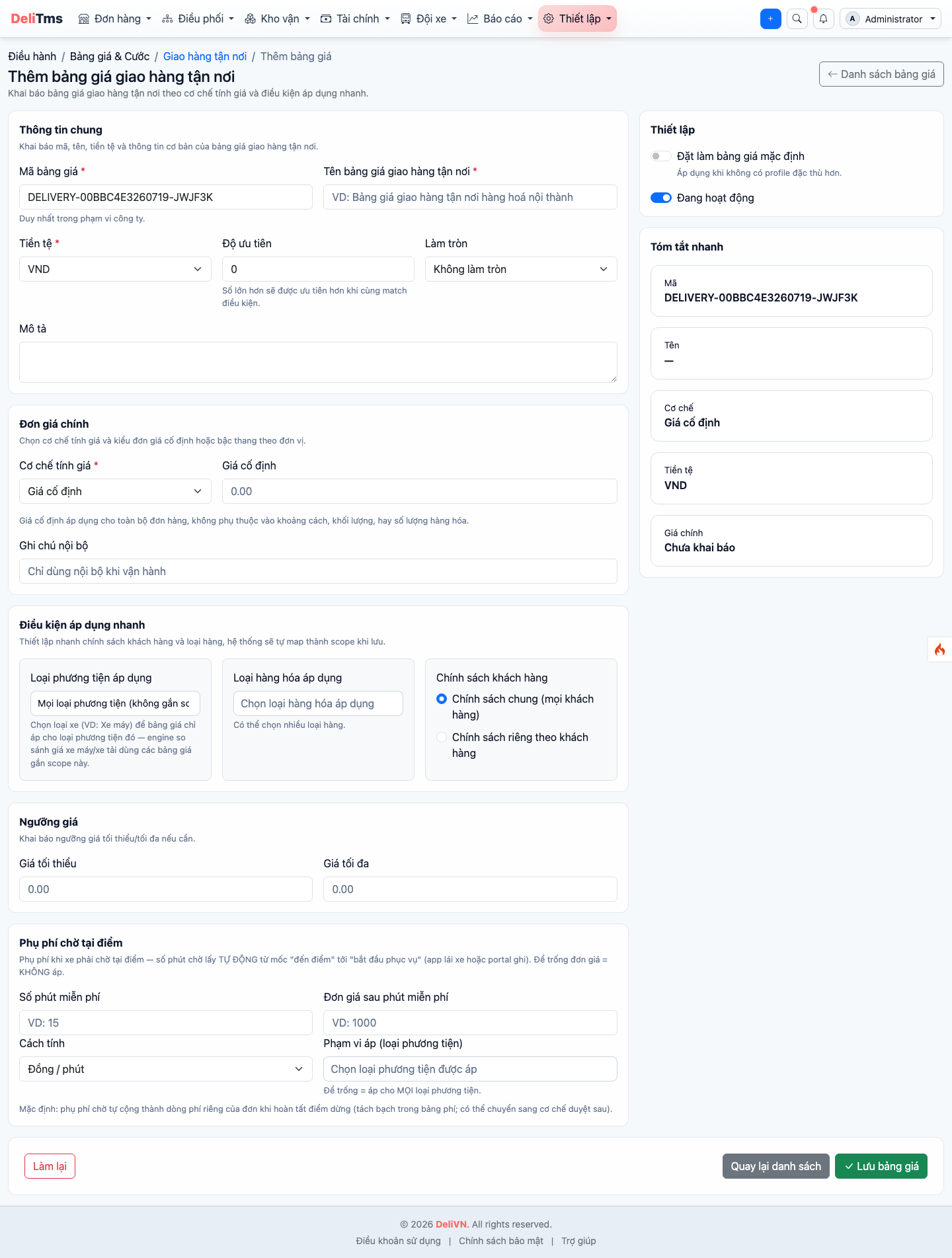
"Add door-to-door delivery pricing table" form on portal.
4. Quick Walkthrough
- Go to
/transport/pricing/delivery→ Add. - Code
GIAO_MAC_DINH, name "Default door-to-door delivery fee". - Select calculation method (starting: Fixed 20,000; upgrade to km/tiered later).
- Check Default + Active → Save.
- Verification: test order selecting "door-to-door delivery" → fee added correctly; order "customer self-pickup at post office" → no fee; order delivered to customer with custom pricing table → uses custom price.