
1. Operational Cash Flow Map
| Item | Where & When Collected | System Recording |
|---|---|---|
| Prepaid Shipping Fee | Sending post office counter, at operation handover step | Order "paid"; money into counter's submission voucher |
| Recipient-Paid Fee | Receiving counter when delivering goods, or driver collects at delivery point | System blocks delivery completion if not fully collected; money into collector's submission voucher |
| COD Collection | Driver at delivery point / receiving counter | Completely separated from shipping fee; tracked separately until refunded to sender |
| Accounts Receivable | Not collected immediately | Recorded in customer AR book; collected according to reconciliation period |
Control principle: every dollar can be traced back to the order and collector. There is no "delivered" status when collection obligations at delivery point are not completed. Effective shipping fee collection and revenue tracking ensure complete financial visibility across all transactions.
2. Cash Submission Vouchers and Accountant Confirmation
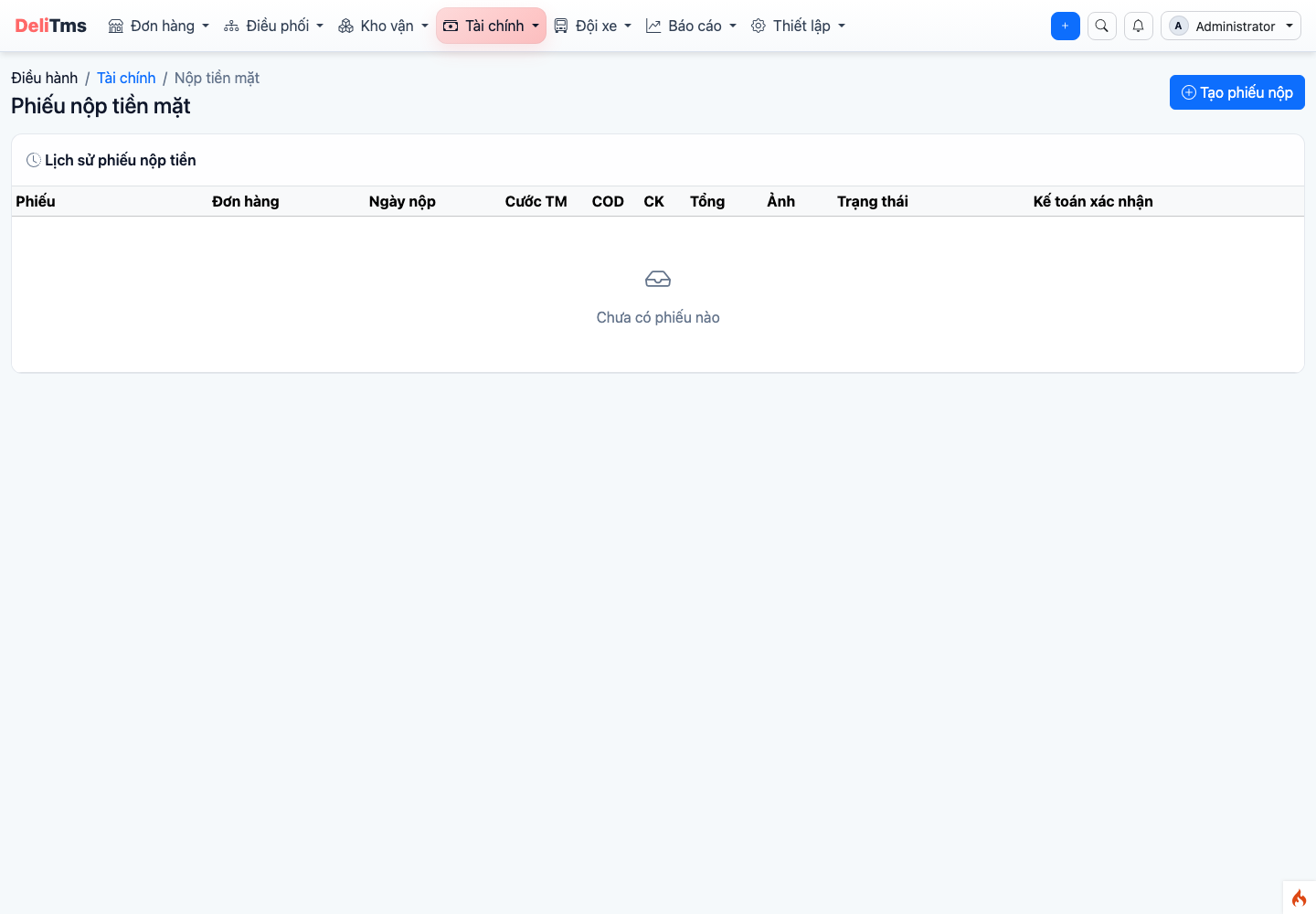
Cash submission vouchers — two types of vouchers (shipping fee / COD) submitted by drivers and counters, accountant confirms each voucher.
Cash collected by drivers and counters is consolidated into submission vouchers — shipping fees and COD are always two separate vouchers (COD vouchers are auto-generated for each collection). Process at Revenue → Cash Submission Vouchers (/revenue/cash-submission):
- Collector submits voucher with the amount handed over;
- Accountant cross-checks voucher amount with actual cash received → Confirm;
- Discrepancy → Reject with notes; submitter re-checks and resubmits;
- Summary table for reconciliation at end of day/period: who still holds how much, which items are unconfirmed.
3. Customer Accounts Receivable Book
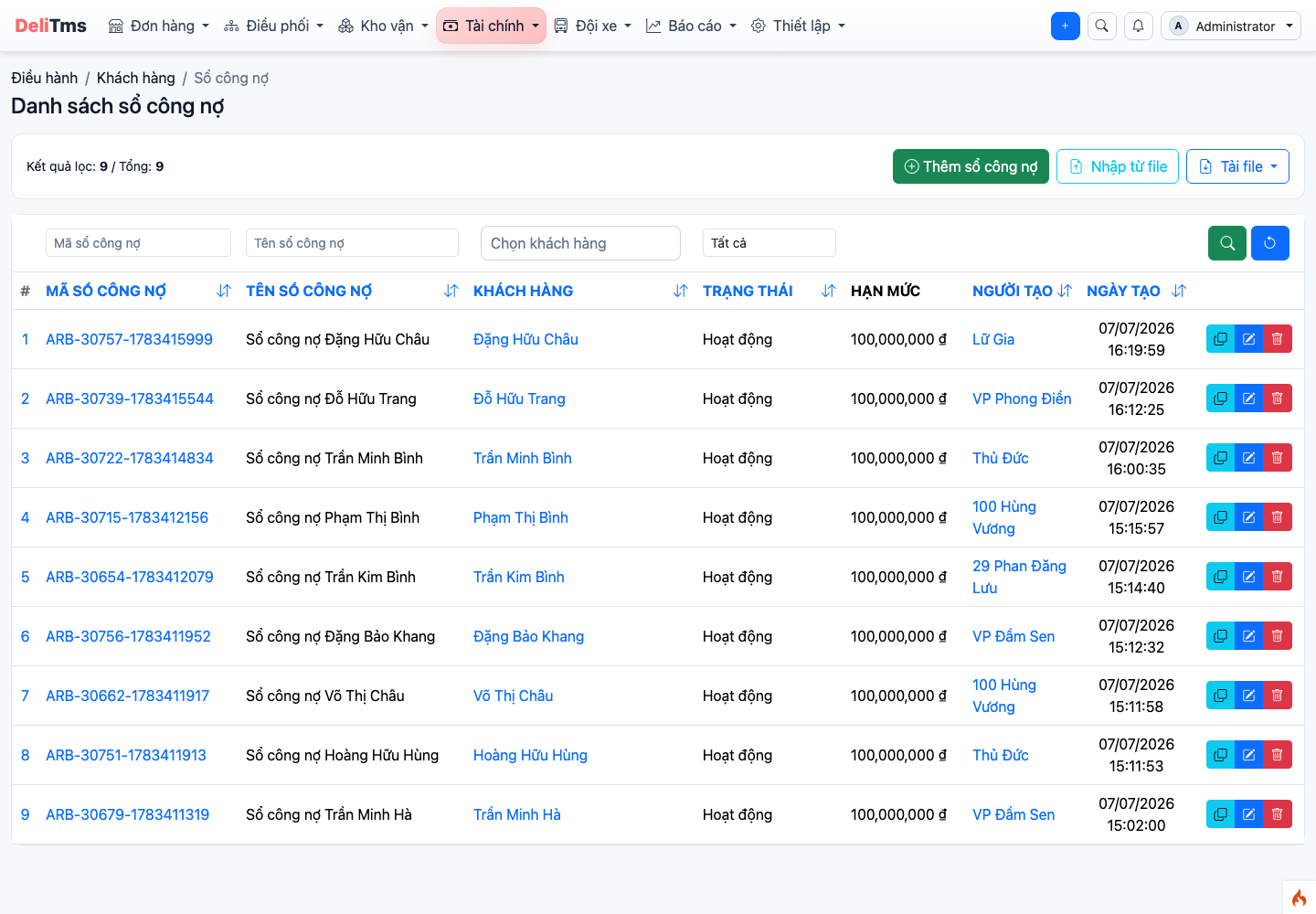
Customer accounts receivable book list — credit limit, status and balance.
Customers paying by period need an active AR book: Customers → Accounts Receivable (/customer/account-receivable/book) → Add — select customer, set credit limit, opening date, Active status. From then on, at collection points, staff can select record as AR instead of collecting cash (conditions: book is active, credit limit available).
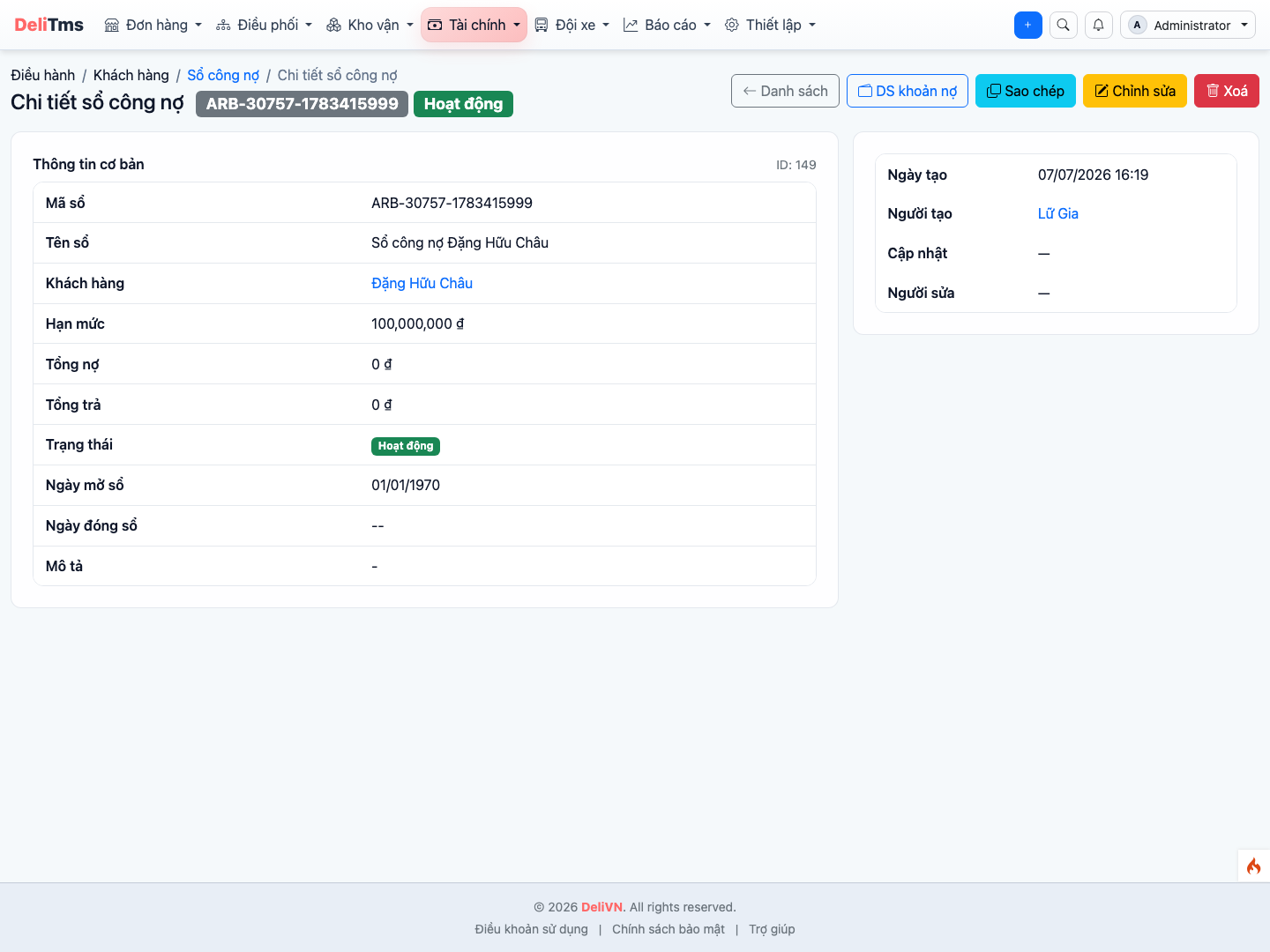
AR book detail — each transaction line linked to source order, balance by period.
- Each debit entry creates a line in detailed book linked to source order — every item is traceable;
- Reconciliation period: close period balance, export statement to customer, record payment in book;
- Recipient-paid orders recorded as AR at receiving end will go into the recipient's AR book; orders where both parties agree to charge sender will go into sender's book (operation in Chapter 03, Section 5).
Revenue Overview and Fund Submission Reconciliation
Revenue → Overview (/revenue/dashboard): revenue by day/period, breakdown by type (shipping fee, COD collected), pending confirmation items. Fund Submission Reconciliation (/revenue/cash-submission/reconcile): match total confirmed vouchers with actual fund deposits by day and by submitter — determine "who still holds how much" at any point in time.
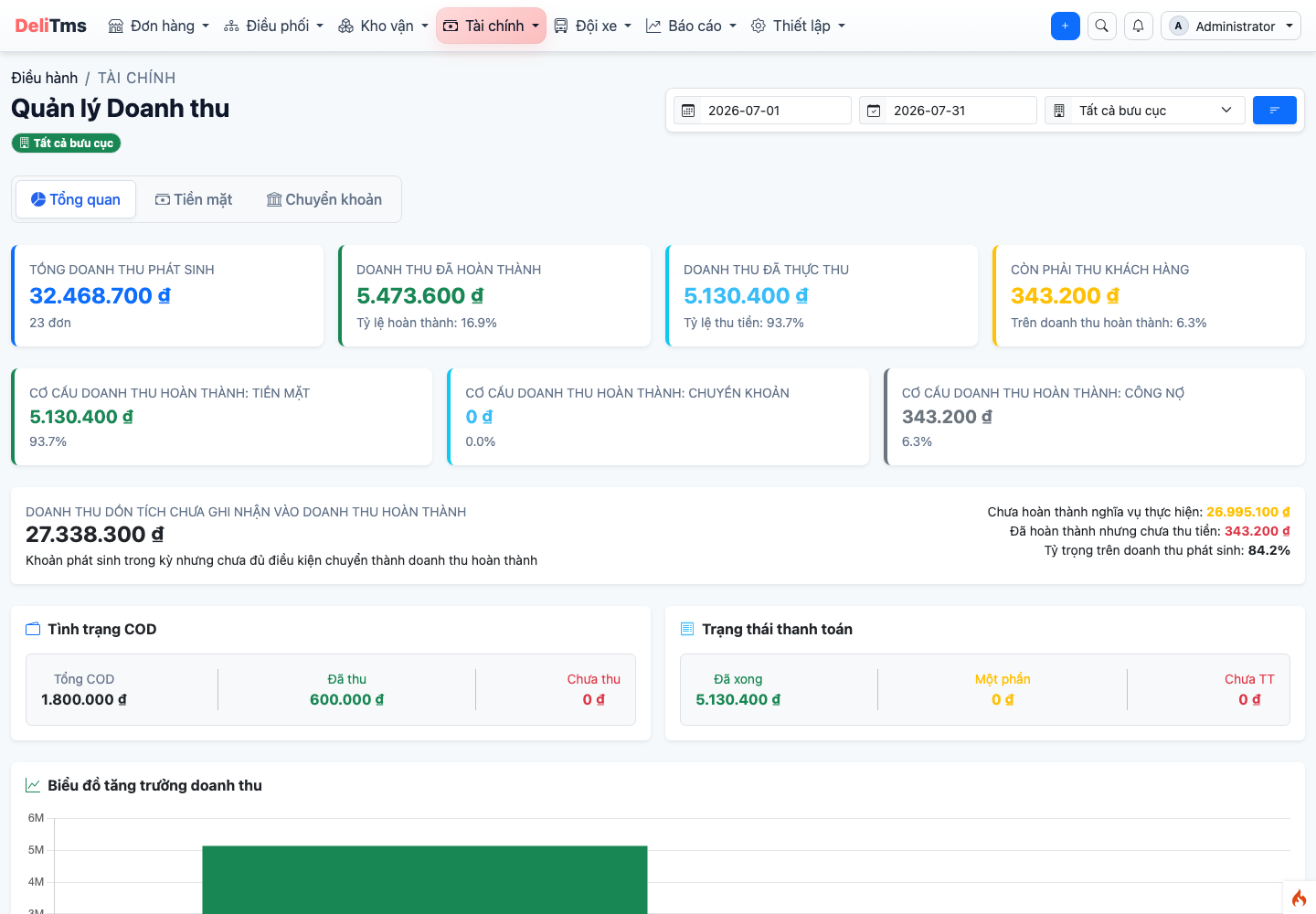
Revenue overview — revenue breakdown and pending confirmation items.
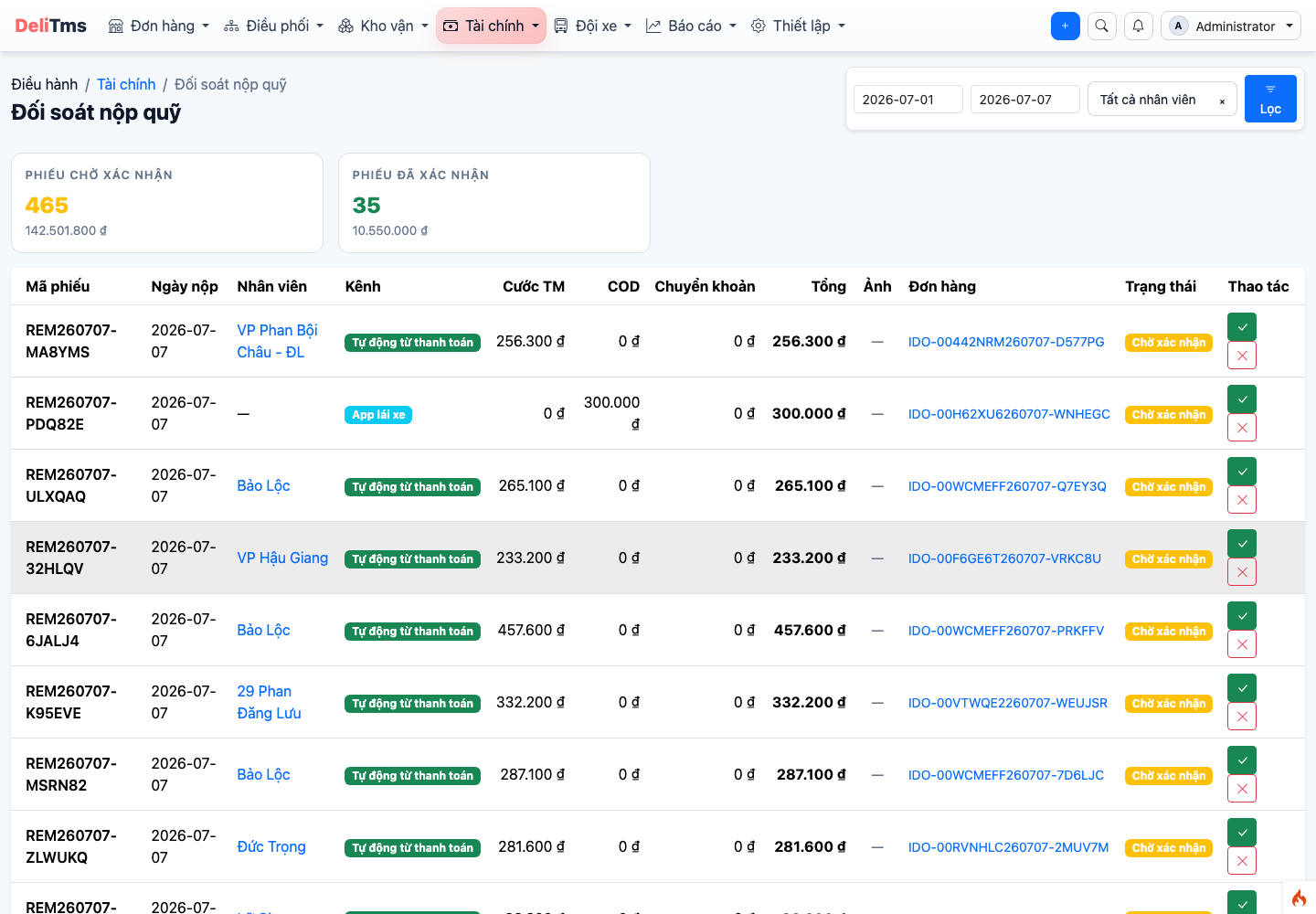
Fund submission reconciliation — match confirmed vouchers with actual deposits by day/submitter.
Consolidated Accounts Receivable Tracking
Customers → Accounts Receivable (/customer/account-receivable): consolidated table of transactions — payments — balances for all customers with books; drill into each book as in Section 3. Documents (/customer/document) store reconciliation records, minutes, invoices linked to customers/contracts; Contracts (/contract) manage framework contracts with business customers.
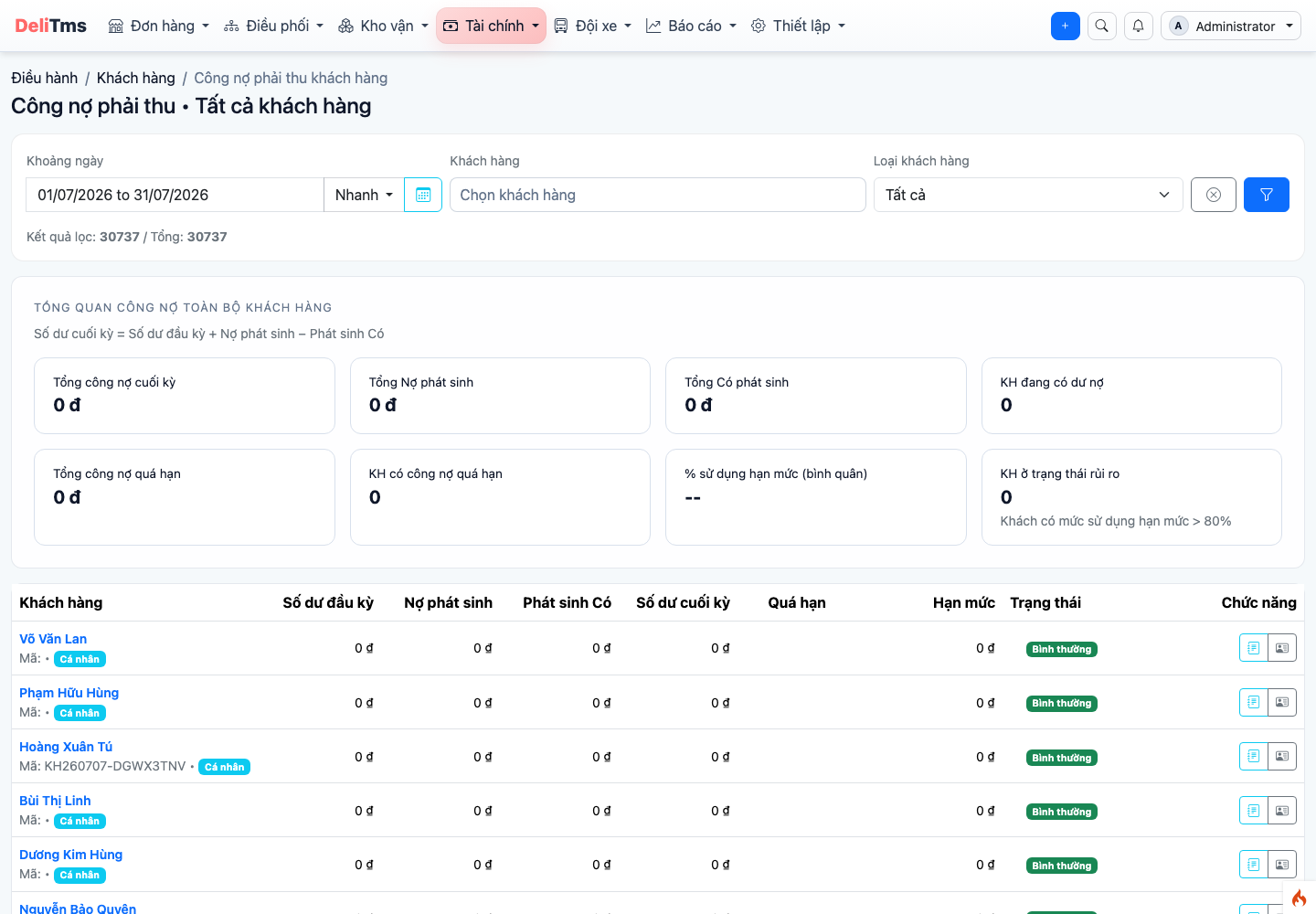
Consolidated accounts receivable — transactions, payments and balances by customer.
Contract AR Invoice (/contract/invoicing/{id}) also displays e-invoice status panel (similar to order detail, Chapter 03, Section 6) once the company has enabled e-invoicing (Chapter 10) and invoice status is no longer "draft": e-invoice is auto-issued when AR invoice changes to "issued", using information from customer's default invoice profile (Chapter 03). If failed, accountant clicks "Re-issue" on the panel after fixing the cause (e.g., customer profile missing/incorrect tax code).
4. COD Refund to Sender
COD collected and confirmed by accountant moves to pending refund to sender status. Business pays according to their schedule (cash at counter / bank transfer) and records payment — COD line closes when sender receives full amount.
4b. Refund Vouchers — Canceling Paid Orders
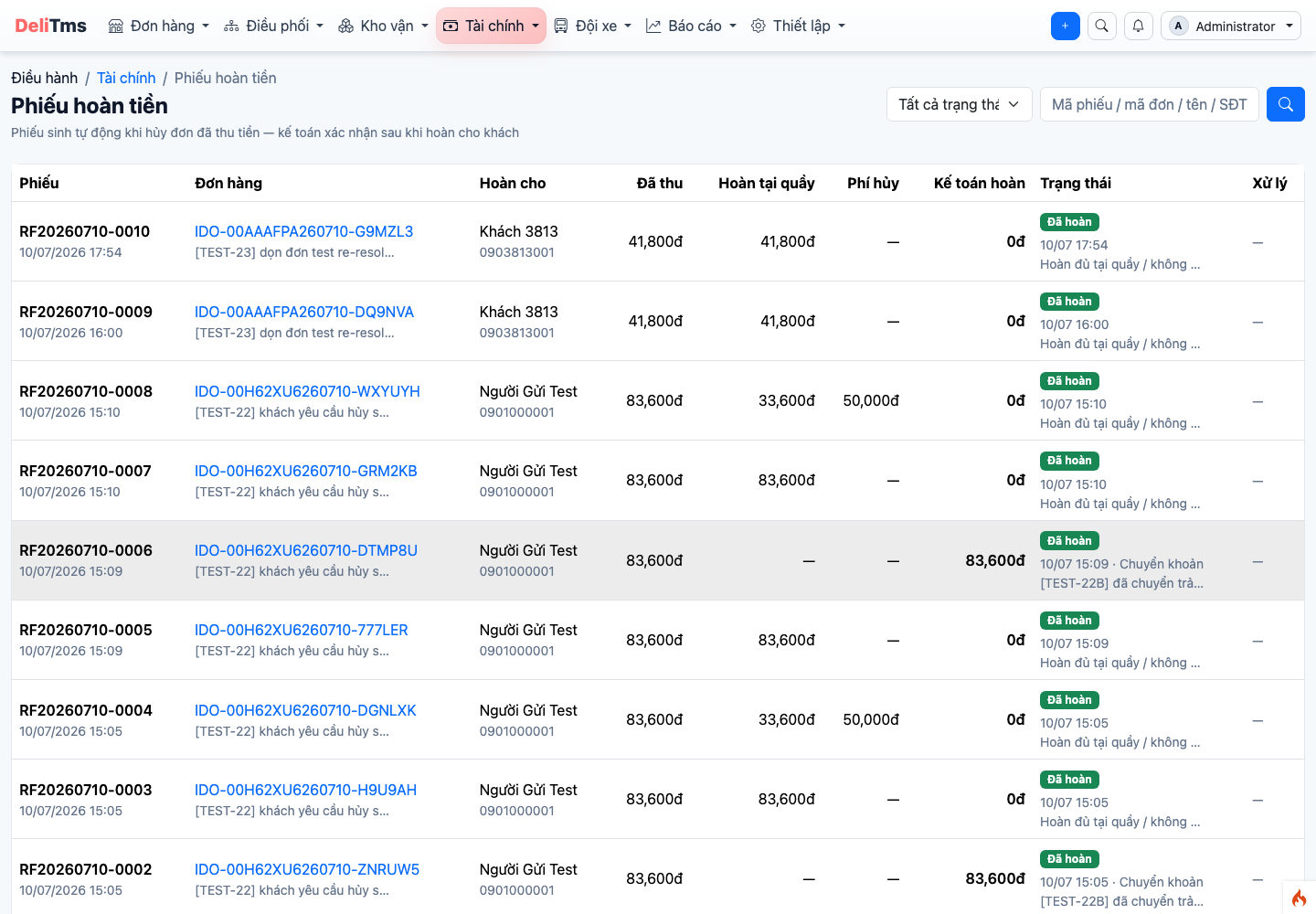
Refund vouchers — list of vouchers pending accountant approval when canceling orders with collected fees.
Orders with collected shipping fees can still be canceled when goods haven't been loaded on intercity vehicles (even if loaded onto a trip but trip hasn't departed). Upon cancellation, system auto-calculates refund flow at Revenue → Refund Vouchers (/revenue/order-refund), principle who paid — refund to them:
- Cash still at counter (submission voucher not yet confirmed by accountant): staff refunds immediately to customer at counter — refund voucher is recorded and auto-completed, collection receipt kept, that amount is auto-removed from pending confirmation submission voucher;
- Already with accountant / bank transfer: creates refund voucher pending approval — accountant pays then Approves with method + receipt number (or Rejects with reason);
- AR orders: uncollected portion is adjusted down (CREDIT entry into current period), order's AR document changes to "canceled" — customer is not charged for canceled order;
- Cancellation fee (if business has set
CANCEL_FEE_INTERCITYin Settings, Finance group; default 0đ) is withheld before refund.
Goods already loaded / in transit cannot be canceled — use return process (Chapter 03).
5. Frequently Asked Questions
Recording AR shows "Customer doesn't have active AR book"? — Open book per Section 3, or book is locked/credit limit exceeded.
Submission voucher doesn't match actual cash received? — Reject voucher with notes; submitter re-checks each item according to order list in voucher then resubmits. Do not confirm mismatched voucher to "handle later".
Order delivered but shipping fee not received? — Check if collector's (driver/counter) submission voucher has been submitted and confirmed — filter submission voucher screen by collector and date.
