
1. Philosophy: Modular Salary Policy
Each business pays driver salary differently — per parcel, per trip quota, per route quota, COD percentage, fixed salary plus revenue... DeliTMS does not impose formulas: businesses assemble policies from rules, and the system automatically calculates based on actual operations.
| Component | Description | Example |
|---|---|---|
| Fixed Salary | Fixed monthly amount; option to calculate proportionally by working days (from shift data) or by calendar days | 5,000,000 VND/month |
| Per-Parcel Rules | Unit price for each successfully processed parcel on pickup/delivery trips; failed parcels calculated at a separately configured rate | Pickup 12,000 VND/parcel; short-collected parcels earn 50% |
| Route Quota (inter-provincial trips) | Quota for each post office pair, directly configured for driver and assistant | SG → Da Lat: driver 350,000 VND, assistant 200,000 VND |
| COD Percentage | Bonus based on % of successfully collected COD | 0.5% of collected COD |
| Assistant Coefficient | If no separate assistant rate is configured, assistant earns based on company-configured percentage | 50% of driver's rate |
2. Policy Configuration
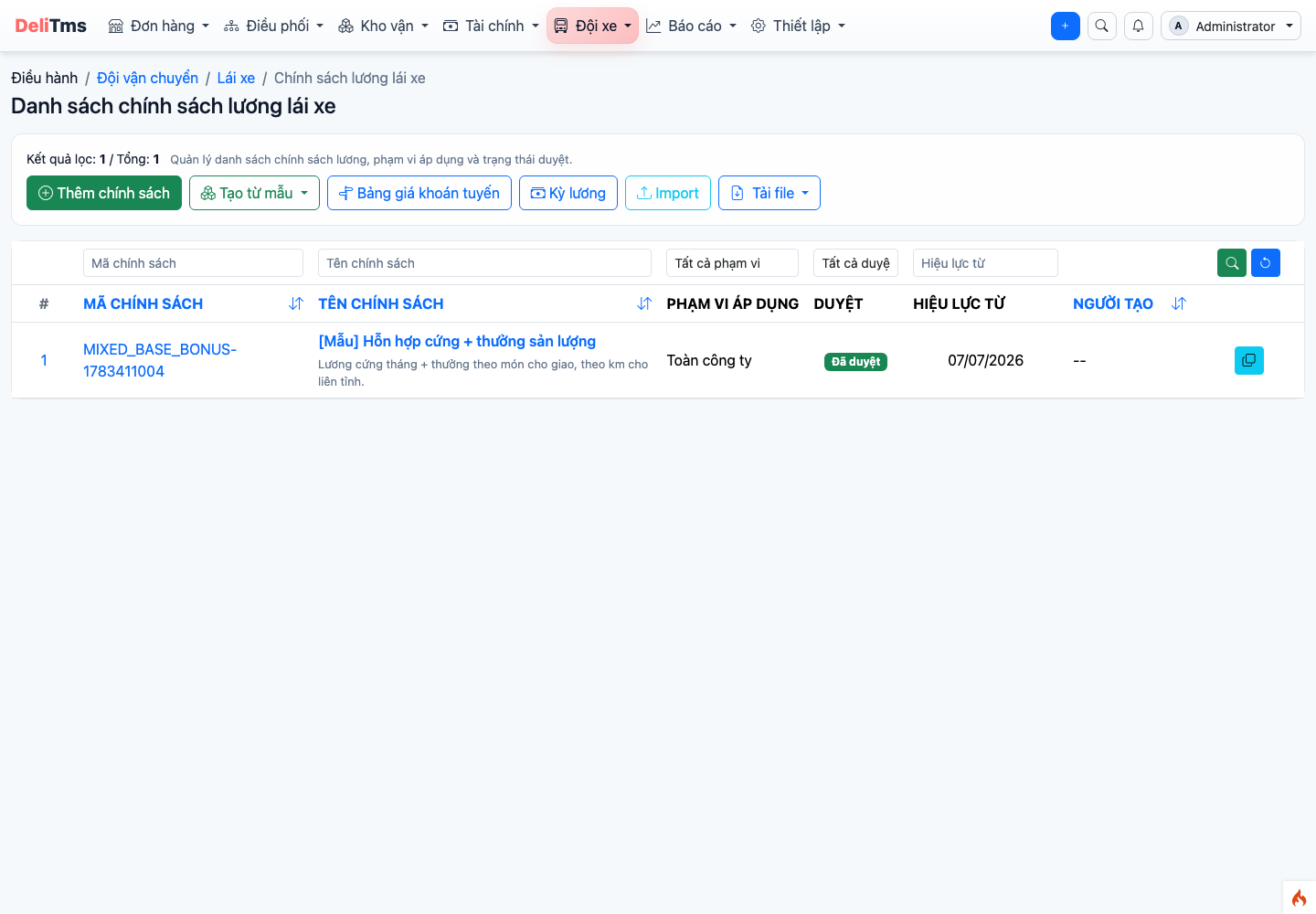
List of salary policies and applicable versions.
Go to Drivers → Salary Policy (/driver/salary-policy) → Add. Three-tier structure:
- Policy — salary package applied to driver groups (company-wide or by group);
- Version — each rate adjustment creates a new version effective from a specified date; old versions are preserved for reconciling completed trips;
- Rules — individual lines by trip type × role × calculation method as shown in the table in section 1.
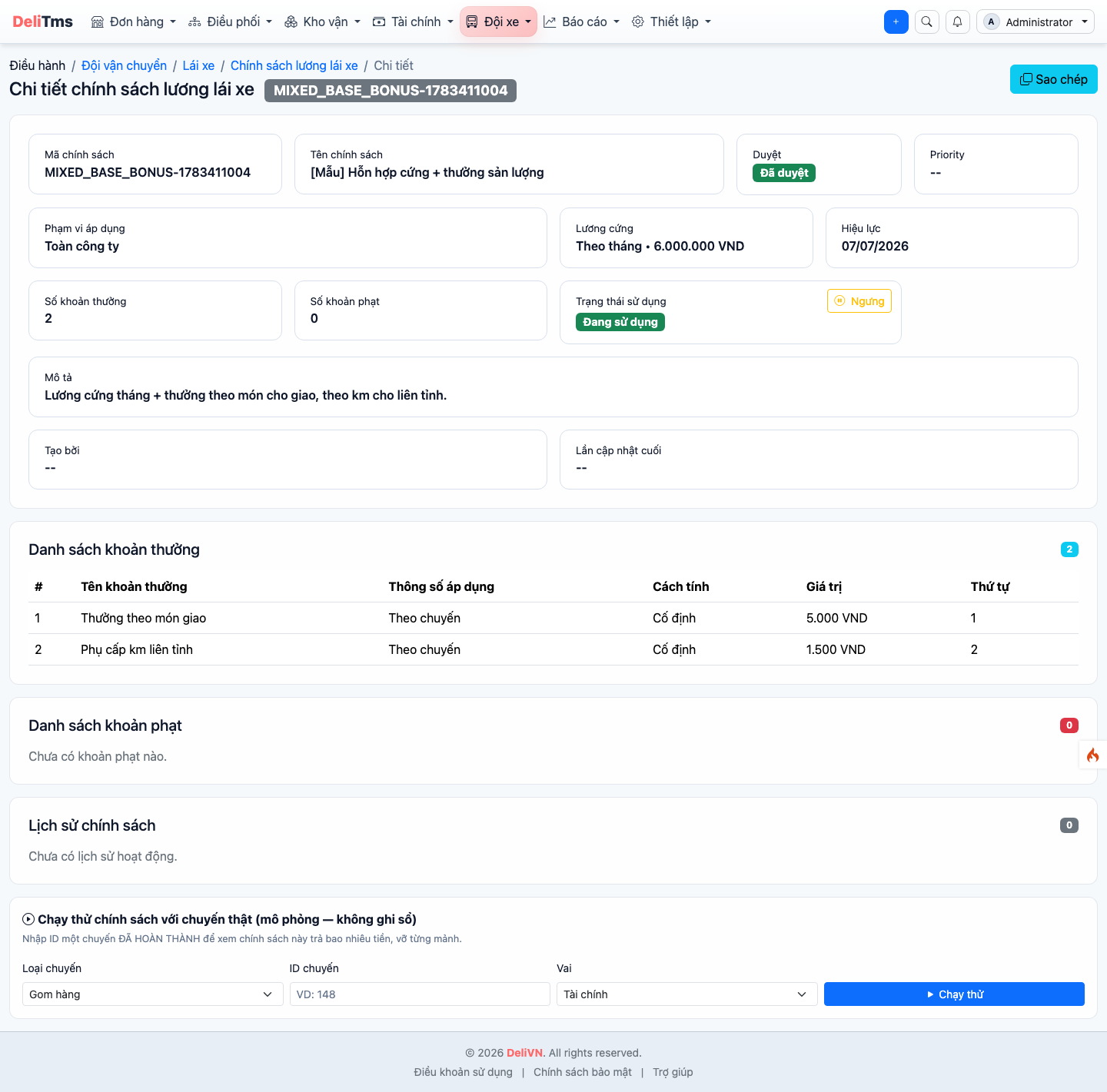
Policy details — rules by trip type, role, and applicable rates of the effective version.
Salary adjustments are always made via a new version, never by overwriting the current effective version — preserving the calculation basis for completed trips.
The route quota rule has a centralized management screen: Drivers → Route Rate Table (/driver/route-rate) — configure driver/assistant quota rates for each post office pair, each trip type in table format, with quick add/update without opening individual policy versions.
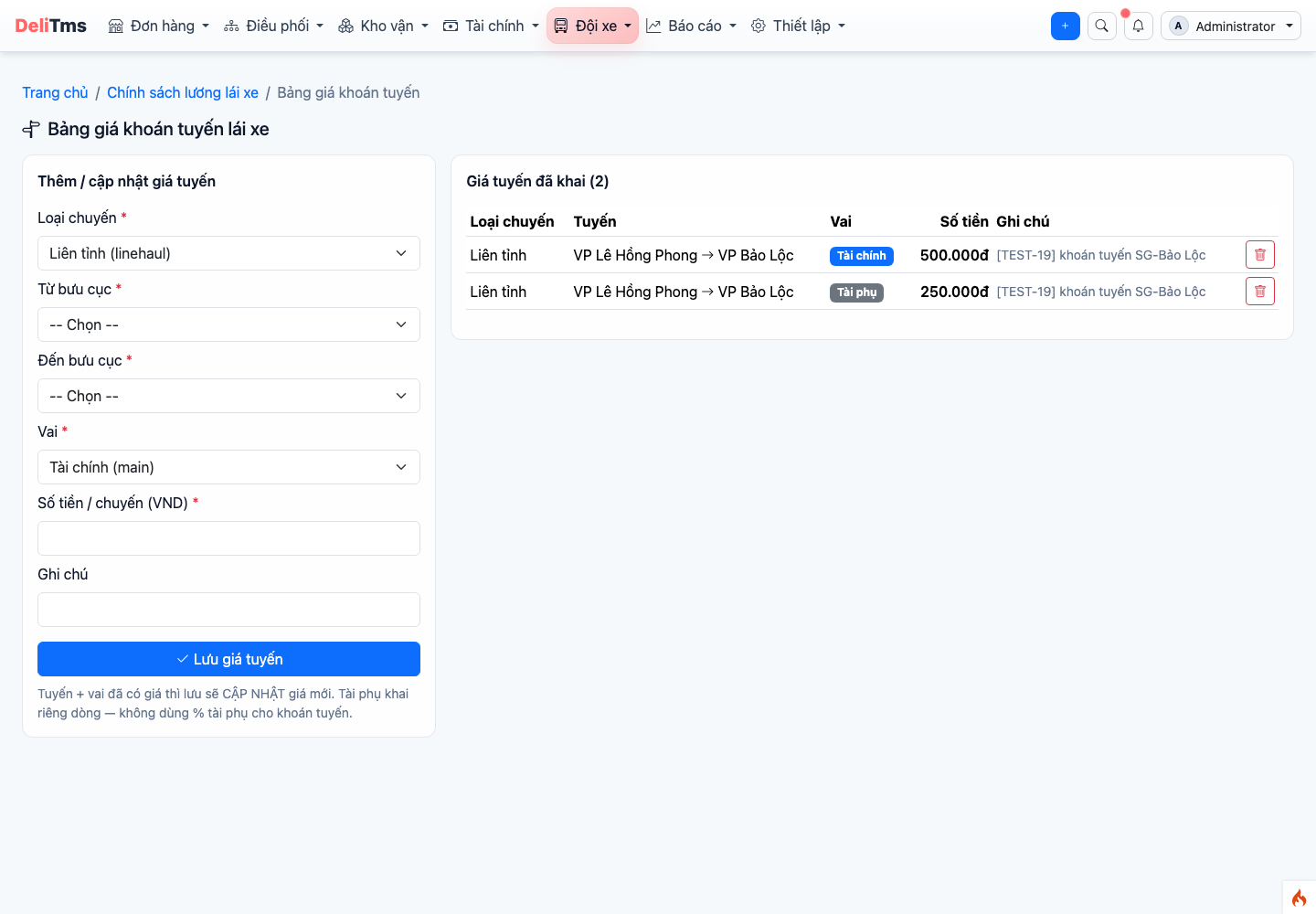
Driver route rate table — driver/assistant quota rates by post office pair and trip type.
3. Automated System Calculation Based on Operations
When a trip is completed, the system matches the policy version effective at the time of operation and records each income item for each driver on the trip — with explanation (which trip, which rule, quantity × unit price). No manual entry, no waiting until end of period:
- Drivers view immediately on the app — Profile → Income (Chapter 05, Section 3);
- HR department monitors summary and details on the portal.
4. Payroll Period and Statement
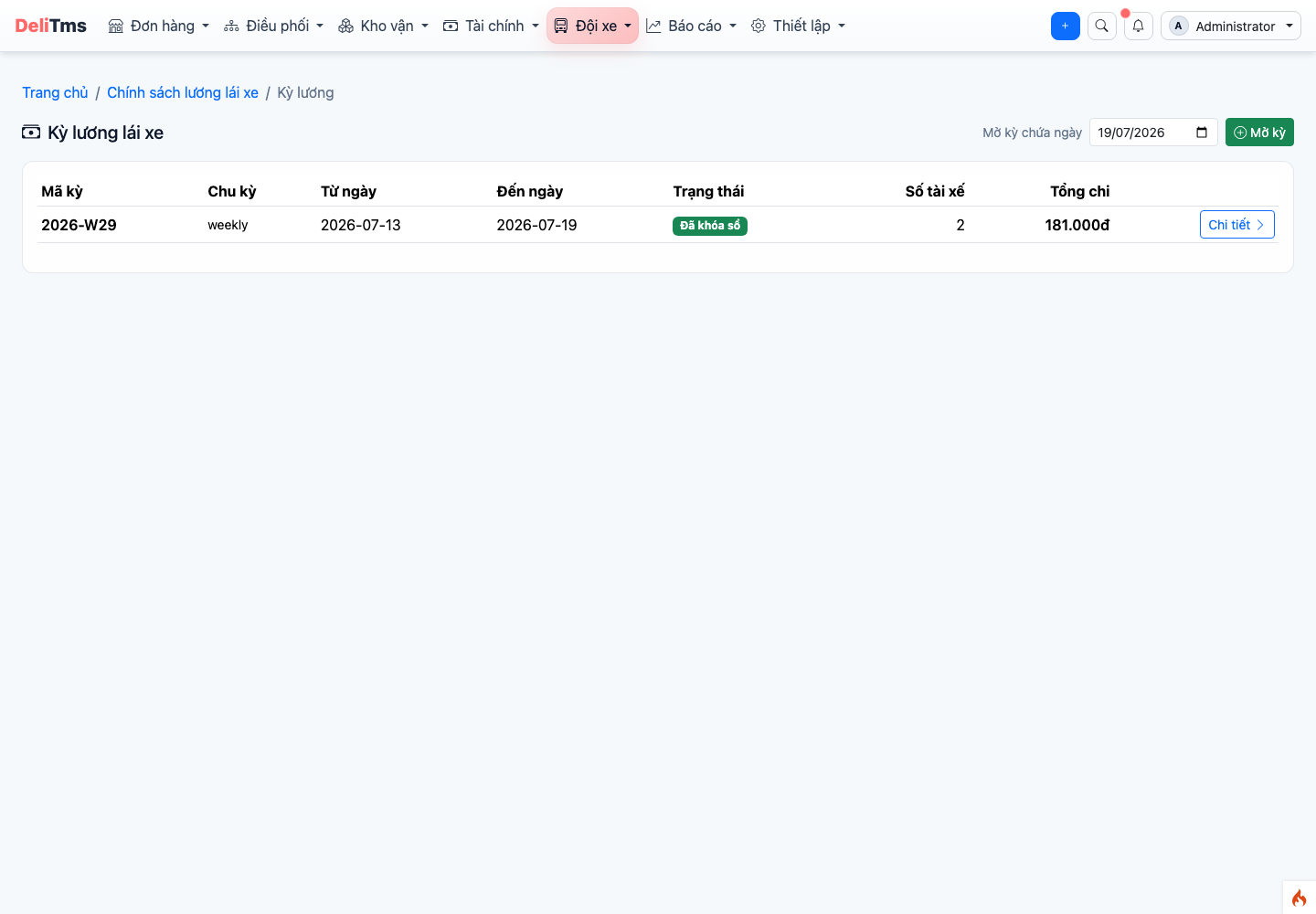
Payroll period — summary of fixed salary and trip-based earnings for each driver, with detailed statement.
Drivers → Payroll (/driver/payroll): cycle (monthly / semi-monthly / weekly) and closing date configured in Company Settings → Salary group. When closing a period, the system aggregates: fixed salary (pro-rated if enabled) + all trip-based earnings in the period + adjustments (manually entered bonuses/penalties with notes) → detailed statement for each driver for payment and explanation. Statement figures match one-to-one with the Income section drivers see on the app — minimizing disputes.
Salary Report
Drivers → Salary Report (/driver/salary-report): analyze salary costs by period, by driver, by trip type — compare with operational output to evaluate quota rates and per-parcel rules efficiency.
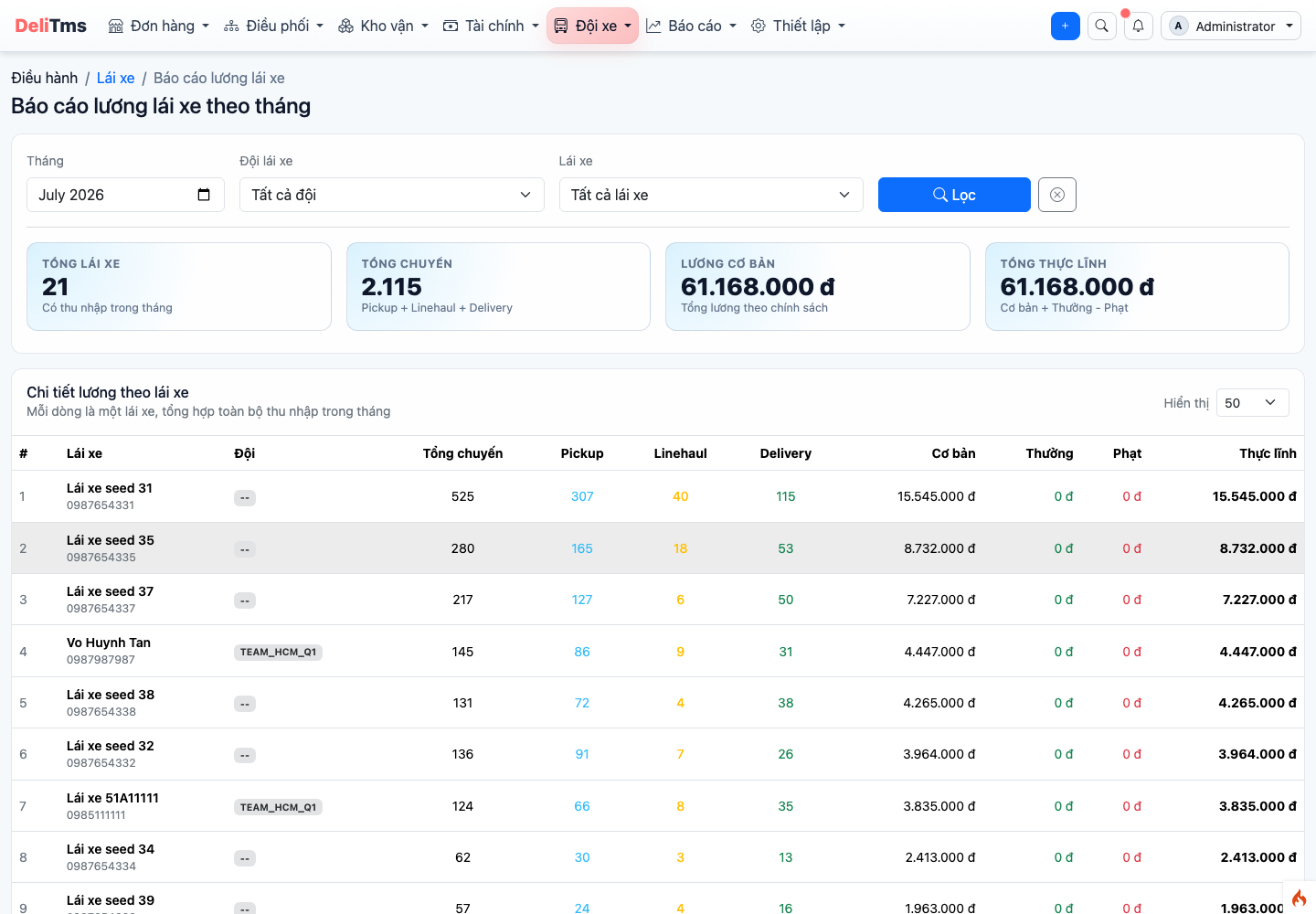
Salary report — salary costs by period, driver, and trip type.
5. Frequently Asked Questions
Trip completed but income not showing on app? — Income is generated when the trip is in completed status; check if the trip has finished all legs. If the trip is completed but income is still missing, check if the policy has rules for that trip type.
New route without quota rate? — Add route quota rule for the new post office pair to the policy version; trips run before the addition will be calculated based on the rules effective at that time.
Changing rates mid-period? — Create a new version effective from the change date: trips before that date use the old rate, trips from that date use the new rate — accuracy is maintained within the same payroll period.
